best hosting services for wordpress


WordPress is the backbone of millions of websites, from personal blogs to corporate sites, and choosing the right hosting can make a huge difference in performance, security, and ease of use. Not all hosting providers are created equal—some prioritize speed and scalability, while others focus on affordability or specialized features. If you’ve been running WordPress for a while, you may have noticed that even small changes in hosting can affect load times, uptime, and even how your site ranks with search engines. The right hosting ensures your site stays fast, secure, and reliable, which is especially important as your traffic grows.
Many beginners start with budget-friendly shared hosting, which can work fine for small sites, but as your site expands, you’ll likely need something more robust. Shared hosting can be cost-effective, but it comes with limitations like limited resources and potential performance bottlenecks if too many sites share the same server. If you’re serious about growing your WordPress site—whether for business, content creation, or e-commerce—you’ll want a provider that offers better performance, better support, and more control over your infrastructure. The good news is that there are several top-tier options designed specifically for WordPress, each with its own strengths depending on your needs.
Below is a list of the best hosting services for WordPress.
📋 Table of Contents
- 1. SiteGround WordPress Hosting
- 2. Bluehost WordPress Hosting
- 3. A2 Hosting WordPress Hosting
- 4. Hostinger WordPress Hosting
- 5. Kinsta WordPress Hosting
- 6. Cloudways WordPress Hosting
- 7. HestiaHost WordPress Hosting
- 8. DreamHost WordPress Hosting
- 9. InMotion Hosting WordPress Hosting
- 10. WP Engine WordPress Hosting
1. SiteGround WordPress Hosting

SiteGround is a top-tier WordPress hosting provider known for its exceptional performance, security, and outstanding customer support. Ideal for beginners and growing businesses, SiteGround offers a managed WordPress hosting plan that includes automatic updates, daily backups, and a free SSL certificate. Their optimized server infrastructure ensures fast loading times, which is critical for user engagement and SEO rankings. The company’s team of WordPress experts provides personalized assistance, making it easier for users to troubleshoot issues and optimize their sites without needing technical expertise.
- Optimized Server Infrastructure: Custom server configurations and caching layers to deliver blazing-fast page speeds.
- Free SSL Certificates: Instant HTTPS setup to boost trust and SEO.
- Daily Automated Backups: Safe recovery options with 30-day retention for peace of mind.
- 24/7 Customer Support: Round-the-clock assistance via live chat, phone, and ticketing.
- Free Migration Service: Seamless transfer from other hosts with minimal downtime.
2. Bluehost WordPress Hosting

Bluehost is a long-standing favorite for WordPress users, especially beginners. It’s one of the few hosts officially recommended by WordPress.org, offering a user-friendly interface and reliable performance. Bluehost’s shared hosting plans include free domain registration, one-click WordPress installation, and built-in security features like malware scanning. Their managed hosting plans add premium support and automated backups, making it a solid choice for small businesses and startups looking to grow without technical hassles. The company’s scalable plans also support higher traffic as your site expands.
- Free Domain Registration: Secure and easy domain setup included in most plans.
- One-Click WordPress Install: Instant setup with minimal setup time.
- Free SSL Certificate: Automatic HTTPS encryption for enhanced security.
- 24/7 Customer Support: Dedicated support team available via live chat, phone, and email.
- Automated Backups: Daily backups included in managed plans for data protection.
3. A2 Hosting WordPress Hosting

A2 Hosting is renowned for its lightning-fast performance, thanks to its Turbo Servers that load pages up to 20 times faster than standard hosting. This speed advantage is perfect for e-commerce sites, high-traffic blogs, and businesses needing to rank higher in search results. A2 Hosting’s WordPress hosting includes free migrations, free SSL certificates, and a free CDN, which helps reduce load times further. Their customer support is also highly rated, with a focus on quick responses and expert assistance. The hosting is ideal for users who prioritize speed and reliability over cost.
- Turbo Servers for Speed: Optimized servers that deliver up to 20x faster loading speeds.
- Free SSL Certificate: Instant HTTPS setup for enhanced security.
- Free CDN Integration: Global content delivery network for faster global access.
- Free Site Migration: Seamless transfer from other hosts with expert help.
- 24/7 Priority Support: Dedicated support team with fast response times.
4. Hostinger WordPress Hosting

Hostinger is a budget-friendly option that doesn’t skimp on quality. Their WordPress hosting plans include unlimited websites, free domain registration, and a free SSL certificate. What sets Hostinger apart is its user-friendly interface, which makes it easy for beginners to manage their hosting without needing technical skills. The company also offers automated backups, free migrations, and a free website builder. Hostinger’s plans are affordable, making it a great choice for solo entrepreneurs, small businesses, and those on a tight budget who still want reliable hosting.
- Unlimited Websites: Host multiple sites on a single plan without extra fees.
- Free Domain Registration: Secure domain setup included with hosting.
- Automated Backups: Daily backups with easy restore options.
- Free SSL Certificate: Instant HTTPS encryption for security.
- User-Friendly Dashboard: Intuitive control panel for easy management.
5. Kinsta WordPress Hosting
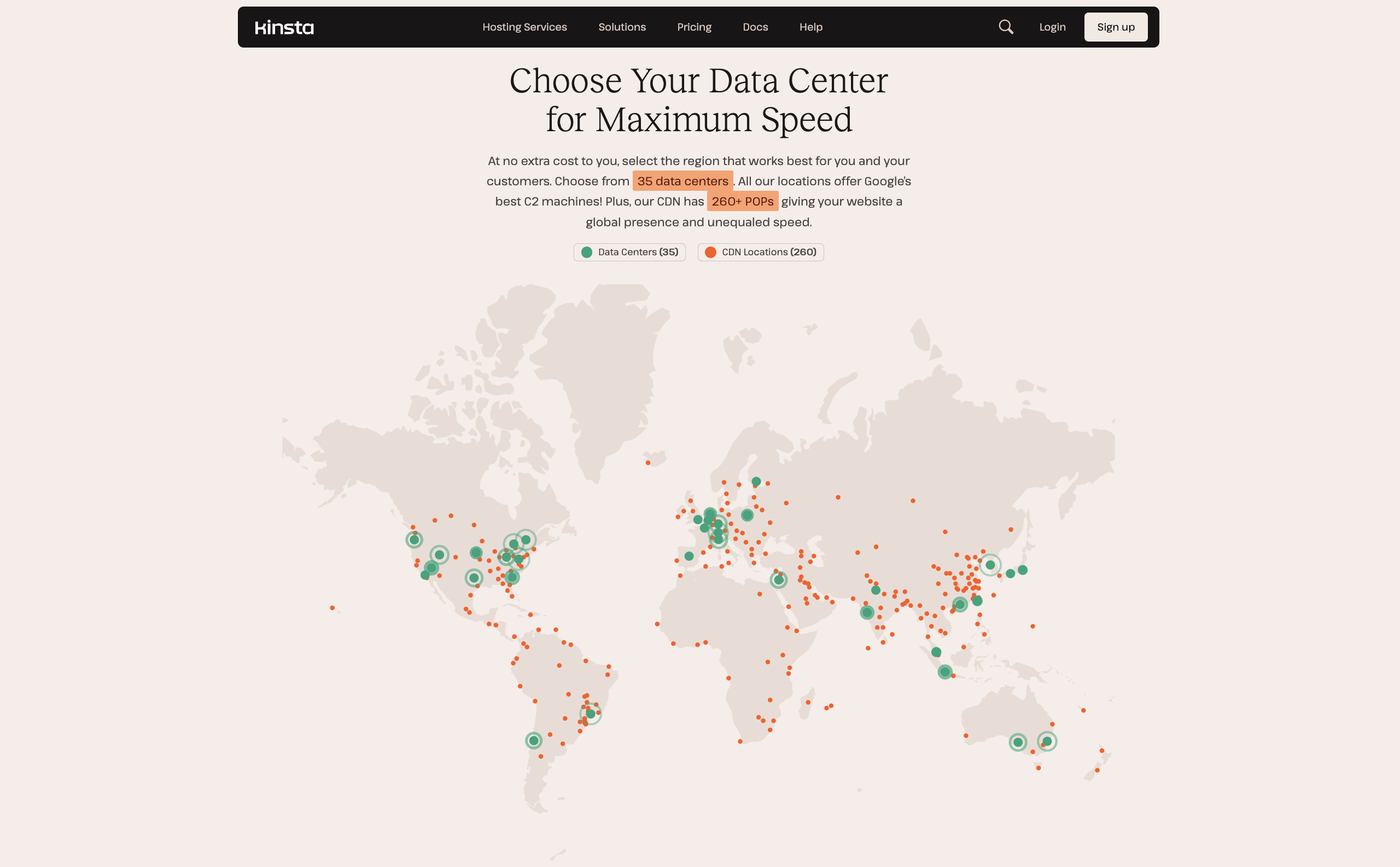
Kinsta is a premium managed WordPress hosting provider designed for high-performance websites. It’s ideal for businesses and bloggers who need enterprise-level security, automatic updates, and optimized performance. Kinsta’s global network of data centers ensures fast loading times worldwide, and their team of WordPress experts handles everything from security to backups. The hosting is best suited for users who want a hassle-free experience, with 24/7 support and advanced features like staging environments. However, it’s more expensive than shared hosting options, making it a better fit for established sites with significant traffic.
- Global Data Centers: Low-latency performance with servers in multiple regions.
- Automated Backups & Updates: Safe, automated backups and security patches.
- Staging Environment: Test changes in a safe environment before going live.
- 24/7 Priority Support: Dedicated support team with expert assistance.
- Free SSL Certificate: Instant HTTPS setup for enhanced security.
6. Cloudways WordPress Hosting
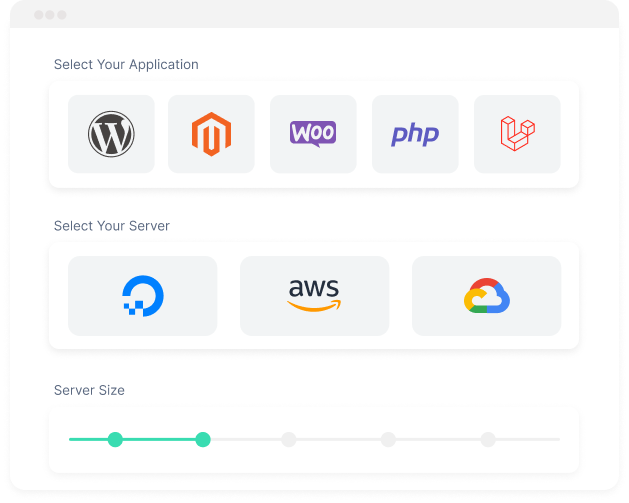
Cloudways is a flexible managed hosting platform that allows users to choose from multiple cloud providers like DigitalOcean, Vultr, and Linode. This flexibility is perfect for users who want to scale their hosting as their site grows. Cloudways offers automatic backups, free SSL certificates, and a user-friendly control panel. Its managed WordPress hosting includes optimized performance, security, and dedicated support. The platform is ideal for developers and businesses that need customization and control over their hosting environment while still benefiting from expert management.
- Multi-Cloud Support: Choose from multiple cloud providers for scalability.
- Automated Backups & Security: Regular backups and advanced security measures.
- Free SSL Certificate: Instant HTTPS setup for secure connections.
- Dedicated Support Team: Expert assistance for technical issues.
- Scalable Performance: Easy upgrades to handle increasing traffic.
7. HestiaHost WordPress Hosting
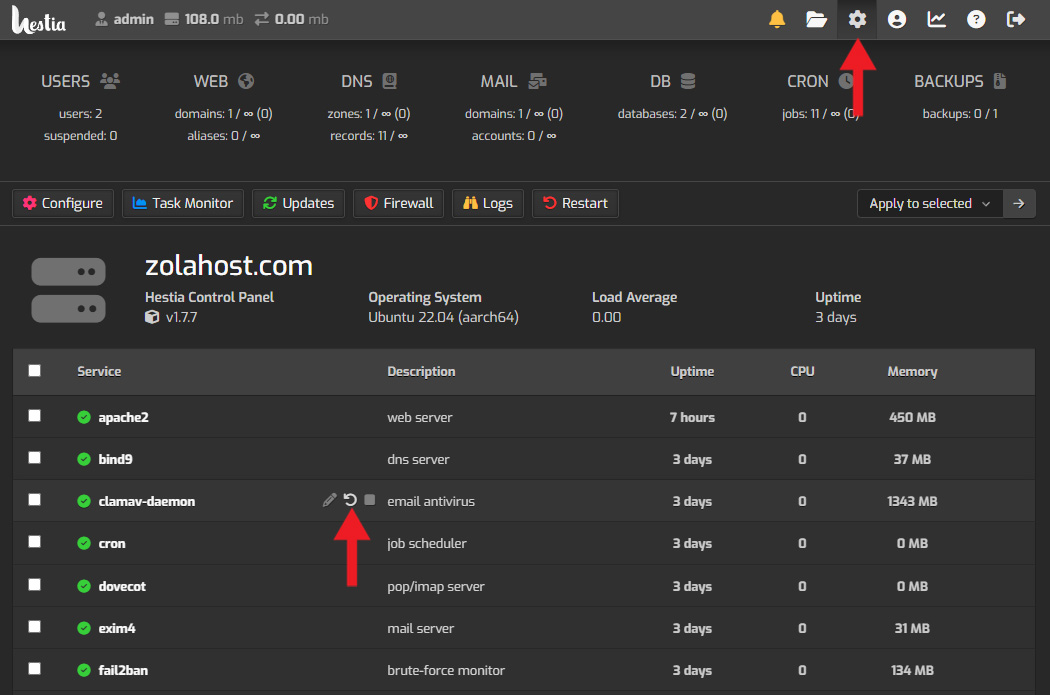
HestiaHost is a lightweight, high-performance WordPress hosting option that focuses on speed and efficiency. It’s designed for users who want a simple, no-frills hosting solution without unnecessary bloat. HestiaHost includes free SSL certificates, automated backups, and a user-friendly interface that makes it easy to manage your site. The hosting is particularly well-suited for small businesses, freelancers, and bloggers who want a reliable, low-cost solution without sacrificing performance. Its minimalist approach ensures that your site loads quickly and runs smoothly.
- Lightweight & Fast: Optimized servers for quick page loads.
- Free SSL Certificate: Instant HTTPS encryption for security.
- Automated Backups: Safe backups with easy restore options.
- User-Friendly Dashboard: Simple interface for easy management.
- Free Migration Service: Seamless transfer from other hosts.
8. DreamHost WordPress Hosting
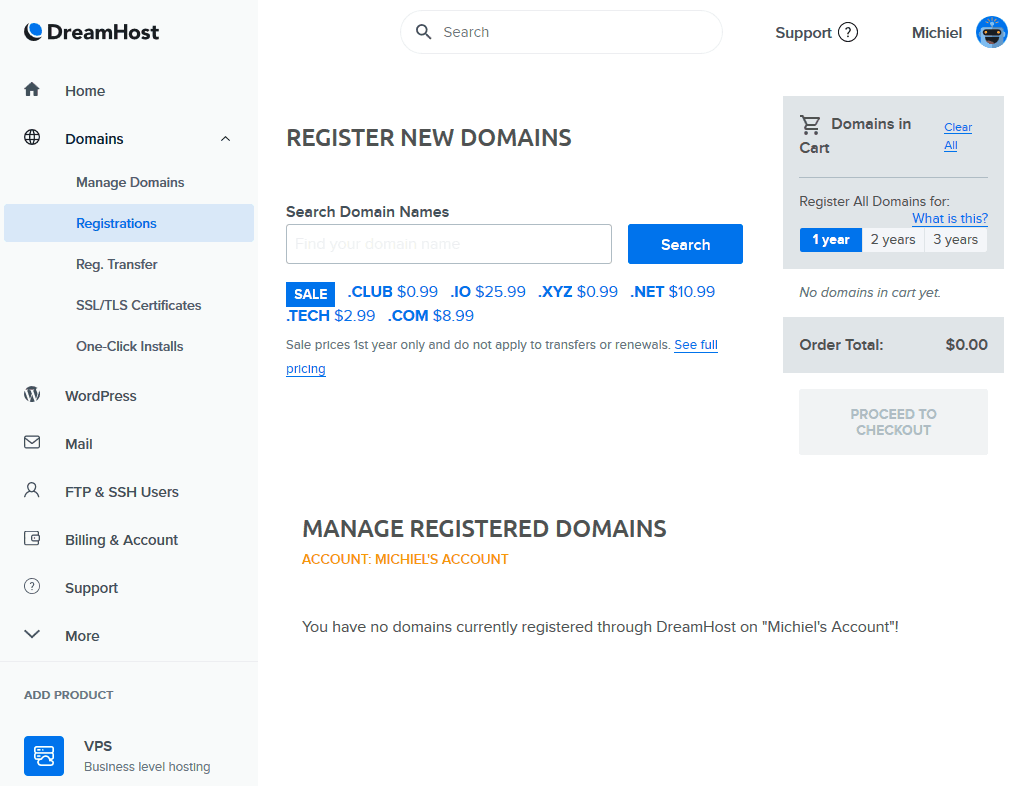
DreamHost is a trusted name in the hosting industry, known for its reliability and customer service. Their WordPress hosting plans include free domain registration, one-click WordPress installation, and a free SSL certificate. DreamHost also offers automated backups, free migrations, and a 97-day money-back guarantee, which gives users peace of mind. The hosting is ideal for beginners and small businesses looking for a secure, easy-to-use solution. DreamHost’s plans are affordable and come with excellent support, making it a great choice for those who want a hassle-free experience.
- Free Domain Registration: Secure domain setup included with hosting.
- One-Click WordPress Install: Instant setup with minimal effort.
- Free SSL Certificate: Instant HTTPS encryption for security.
- Automated Backups: Daily backups with easy restore options.
- 97-Day Money-Back Guarantee: Risk-free trial period for new users.
9. InMotion Hosting WordPress Hosting

InMotion Hosting is a well-established provider that offers a range of WordPress hosting plans, from shared to VPS options. Their managed WordPress hosting includes free SSL certificates, automated backups, and a user-friendly control panel. InMotion Hosting is particularly strong in customer support, with a reputation for quick responses and expert assistance. The hosting is ideal for users who need a reliable, secure, and scalable solution for their WordPress site. While it may not be the cheapest option, its features and support make it a worthwhile investment for serious users.
- Free SSL Certificate: Instant HTTPS setup for enhanced security.
- Automated Backups: Regular backups with easy restore options.
- User-Friendly Dashboard: Intuitive control panel for easy management.
- 24/7 Customer Support: Dedicated support team with expert assistance.
- Scalable Plans: Options for shared, VPS, and dedicated hosting.
10. WP Engine WordPress Hosting

WP Engine is a leading managed WordPress hosting provider known for its enterprise-grade performance and security. It’s designed for high-traffic websites, e-commerce stores, and businesses that require a seamless user experience. WP Engine offers automatic backups, free SSL certificates, and a staging environment for testing changes before going live. Their global network of data centers ensures fast loading times worldwide, and their team of WordPress experts provides personalized support. While WP Engine is one of the most expensive options, it’s ideal for users who prioritize performance, security, and reliability over cost.
- Enterprise-Grade Performance: Optimized servers for high traffic and speed.
- Automated Backups & Security: Regular backups and advanced security measures.
- Global Data Centers: Low-latency performance with servers in multiple regions.
- Staging Environment: Test changes in a safe environment before deployment.
- 24/7 Priority Support: Dedicated support team with expert assistance.
Frequently Asked Questions
What factors should I consider when choosing a WordPress hosting provider?
When selecting a WordPress hosting provider, consider factors like performance (speed and uptime), security features, customer support quality, scalability options, and pricing. Look for providers that offer automated backups, free SSL certificates, and easy migration services to ensure a smooth experience. Additionally, assess whether you need managed hosting (for ease of use) or self-managed options (for more control).
How do I know if my WordPress site needs managed hosting?
Managed hosting is ideal if you lack technical expertise, need expert support, or require advanced features like automated backups and security updates. It’s particularly useful for high-traffic sites, e-commerce stores, or businesses that want to focus on content creation rather than server management. If you’re a beginner or your site isn’t yet handling significant traffic, shared hosting may suffice.
What is the difference between shared and managed WordPress hosting?
Shared hosting shares server resources with multiple sites, making it the most cost-effective option but with less control and performance consistency. Managed hosting, on the other hand, provides dedicated server resources, automated updates, and expert support, making it better for users who prioritize reliability and ease of use. Managed hosting is typically more expensive but offers a hassle-free experience.
How important is customer support in WordPress hosting?
Customer support is critical, especially for beginners or users facing technical issues. Look for providers that offer 24/7 support via live chat, phone, or email. Quick response times and expert assistance can save you time and stress when troubleshooting problems. Some hosts also provide documentation or community forums, which can be helpful for self-diagnosis.
Can I migrate my existing WordPress site to a new host without downtime?
Many hosting providers offer free migration services, which can be done with minimal or no downtime. However, the success of a migration depends on the provider’s expertise and the complexity of your site. Always choose a host that offers migration support or use a migration plugin if you’re moving to a shared host. Some managed hosts provide seamless migration tools to ensure a smooth transition.
What security features should I look for in WordPress hosting?
Key security features include free SSL certificates (for HTTPS encryption), automated malware scanning, regular backups, and firewall protection. Some hosts also offer DDoS protection, automated security updates, and secure file permissions. These features help protect your site from cyber threats and ensure data integrity. Always prioritize hosts that provide comprehensive security measures tailored for WordPress.
How do I choose the right hosting plan based on my site’s traffic?
For low to moderate traffic (under 10,000 visits/month), shared hosting is usually sufficient and cost-effective. As your site grows, consider upgrading to VPS or managed hosting to handle increased traffic and resource demands. High-traffic sites (10,000+ visits/month) may need dedicated servers or cloud hosting with advanced scalability options. Always check your host’s resource limits and traffic handling capabilities before committing.