best way to buy a domain name


Picking the right domain name is one of the first—and often most important—steps when setting up a website. It’s the address people will type into their browser, the first thing they’ll see, and the foundation of your brand. A good domain name isn’t just about being catchy; it’s about clarity, memorability, and future-proofing. If you’re investing time and effort into building an online presence, skipping the research to grab the first available name could lead to regrets later. The domain you choose will shape how visitors perceive your site, affect your SEO, and determine whether people can easily remember you. It’s worth taking the time to make the right choice before you register.
Before you start searching, think about what your site represents. Will it be a business, a personal brand, or something else entirely? A domain should reflect that purpose clearly, whether it’s through keywords, simplicity, or a unique twist. Avoid overly long names or numbers and hyphens—they complicate typing and can frustrate users. If you’re unsure, consider what people would type in if they wanted to find you, and make sure that name exists. Once you have a shortlist, check availability across major registrars and ensure there are no trademark conflicts. The process might feel tedious, but rushing could cost you more time—and money—down the road.
I’ve assembled a list below of the best options for buying a domain name.
📋 Table of Contents
- 1. Research Domain Availability
- 2. Choose the Right Domain Extension
- 3. Secure Your Domain with a Registrar
- 4. Consider Domain Privacy and Security
- 5. Understand Domain Registration Terms
- 6. Set Up Domain Security Features
- 7. Plan for Domain Renewal
- 8. Explore Domain Auctions for Unique Names
- 9. Backup Your Domain Registration
1. Research Domain Availability
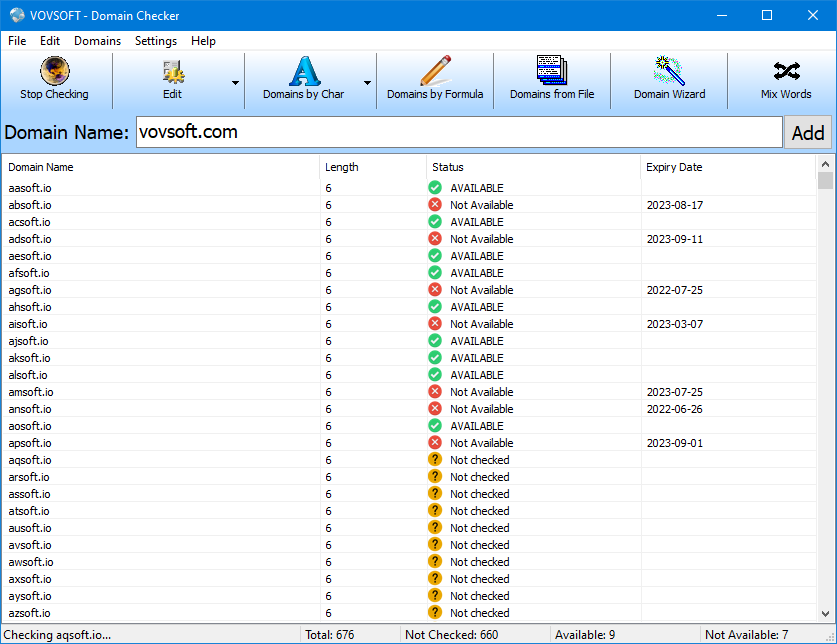
Before you start shopping, it’s smart to check if your desired domain name is available. Tools like ICANN’s WHOIS database or domain registrars’ search tools let you verify availability in seconds. This step prevents frustration later when you realize a name you loved is already taken. Many registrars also offer domain name suggestions based on keywords, helping you brainstorm alternatives if your first choice isn’t available.
- Instant Availability Check: Verify domain status in real-time with WHOIS or registrar tools.
- Keyword-Based Suggestions: Get creative alternatives to avoid dead ends.
- Prevents Last-Minute Regrets: Avoid paying for a name you can’t use.
2. Choose the Right Domain Extension
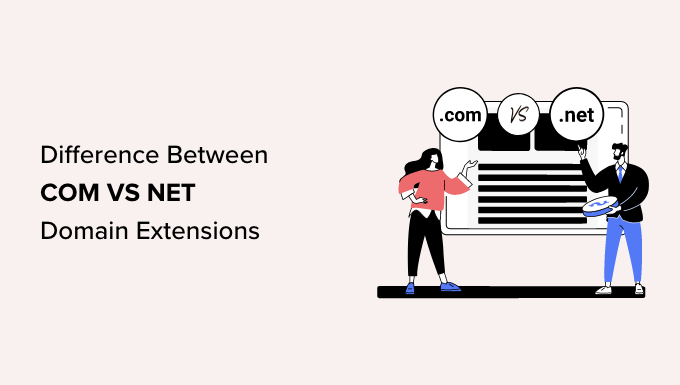
- General Business Trust: Com is the most recognized and trusted extension globally.
- Industry-Specific Options: Extensions like .store or .blog clarify your online presence.
- Audience Alignment: Choose based on your target demographic and brand goals.
3. Secure Your Domain with a Registrar

Once you’ve picked a domain, you’ll need a registrar to purchase it. Top registrars like Namecheap, GoDaddy, and Google Domains offer user-friendly interfaces, free WHOIS protection, and often include privacy tools to hide your personal details from public records. Look for registrars with strong security features, like automatic renewal reminders and DNS management tools, to keep your domain safe and accessible.
- User-Friendly Platforms: Easy checkout and domain management.
- Free WHOIS Protection: Hides your contact info from public databases.
- Automatic Renewals: Prevents accidental expiration.
- DNS Management Tools: Control your domain’s connectivity settings.
4. Consider Domain Privacy and Security
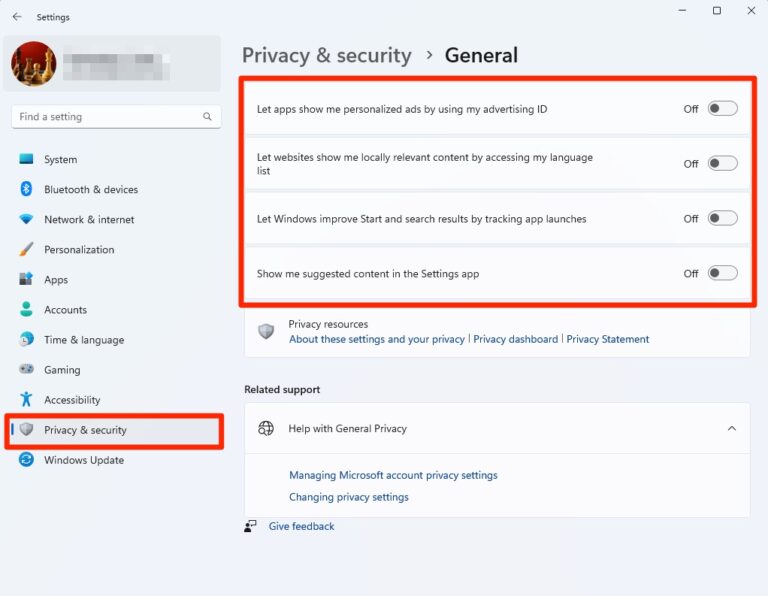
Public WHOIS records expose your personal details, making you vulnerable to spam and phishing. Domain privacy services mask your name and address, keeping your information secure. Many registrars include this service for free, but if not, it costs around $10–$15 annually. Pair this with strong passwords and two-factor authentication to add an extra layer of protection.
- Hides Personal Information: Protects against spam and scams.
- Free or Low-Cost: Available with most registrars.
- Prevents Data Leaks: Reduces exposure to cyber threats.
- Complements Password Security: Works best with multi-factor auth.
5. Understand Domain Registration Terms

Before finalizing your purchase, review the registrar’s terms of service. Key clauses include renewal policies (auto-renewal vs. manual), transfer restrictions, and any hidden fees. Some registrars charge annual renewal fees even if you pay upfront, while others offer discounts for multi-year commitments. Always check the fine print to avoid surprises later.
- Auto-Renewal Options: Decide between automatic or manual renewals.
- Transfer Restrictions: Check if you can move your domain later.
- Hidden Fees: Look for renewal or processing charges.
- Multi-Year Discounts: Save by committing to longer terms.
6. Set Up Domain Security Features
,webp/024/929/456/v2/2560x1440.206.webp)
Once registered, configure security settings to prevent unauthorized access. Enable HTTPS (via Let’s Encrypt or your registrar) to encrypt data in transit. Use domain locks to prevent unauthorized transfers, and set up email forwarding if you’re not ready for a full hosting solution. These steps ensure your domain remains secure and functional as you build your online presence.
- HTTPS Encryption: Secures data between your site and visitors.
- Domain Locks: Prevents accidental transfers.
- Email Forwarding: Redirects emails temporarily.
- DNS Protection: Restricts unauthorized DNS changes.
7. Plan for Domain Renewal
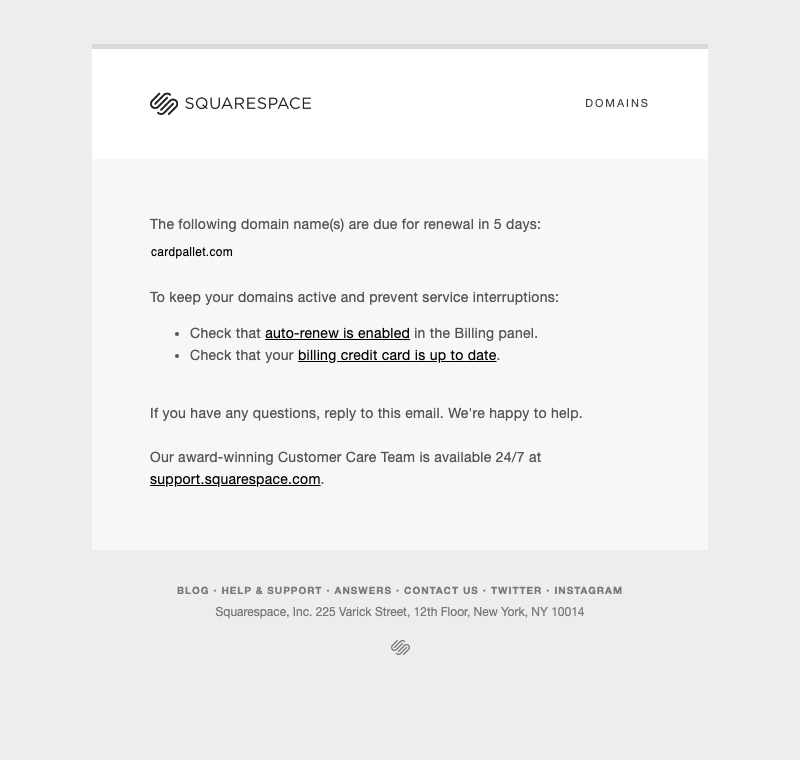
Domain expiration can disrupt your online presence if not managed properly. Set up automatic renewal alerts 30–60 days before expiration to avoid losing your domain. Many registrars offer reminders via email or SMS, so enable these notifications. If you’re unsure, consider paying a small premium for a multi-year extension to lock in your name for years.
- Automatic Renewal Alerts: Prevents accidental expiration.
- Multi-Year Discounts: Secure your domain long-term.
- Email/SMS Notifications: Stay informed about renewal deadlines.
- Premium Renewal Options: Pay upfront for peace of mind.
8. Explore Domain Auctions for Unique Names
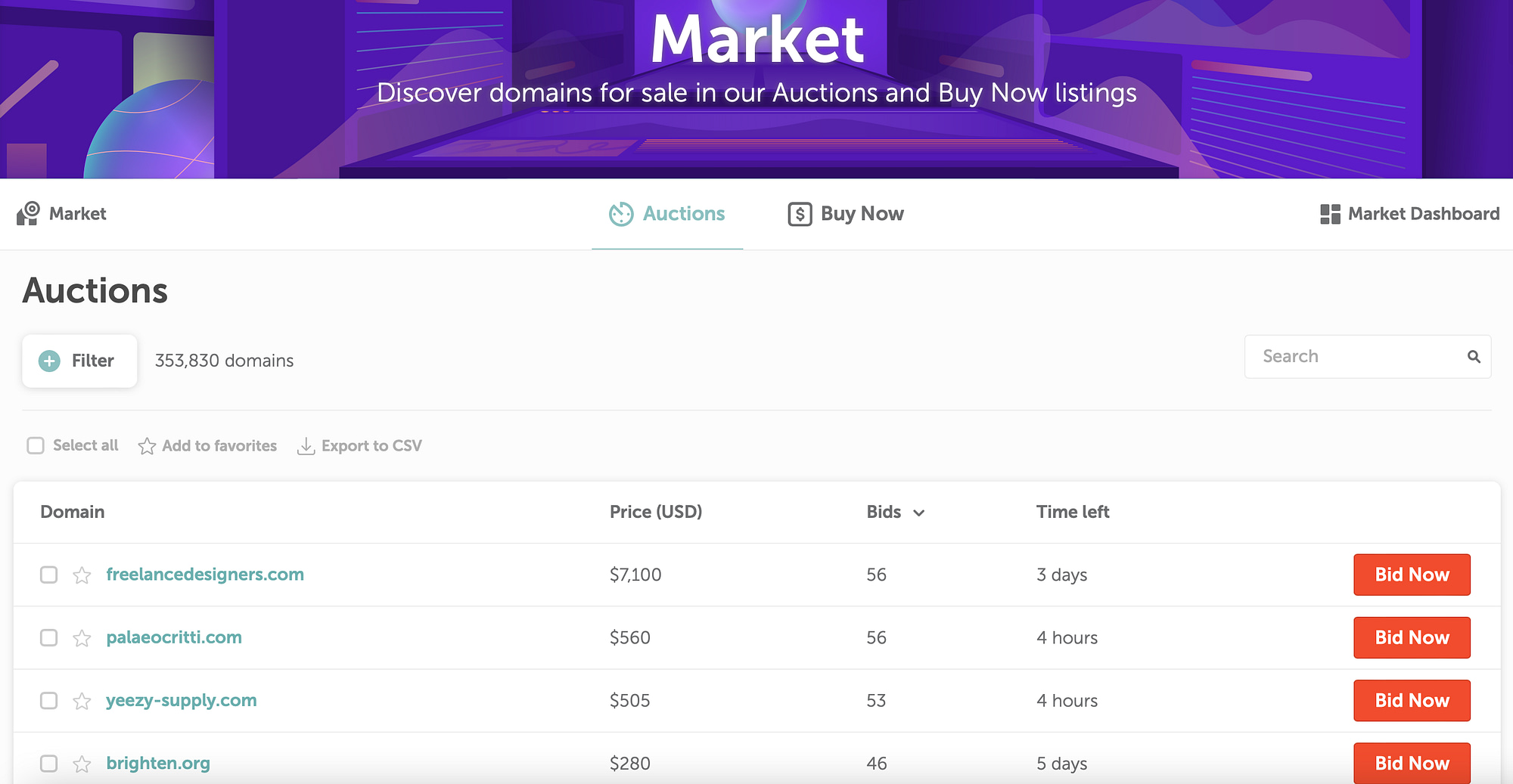
If your ideal domain is already taken, consider buying it from a seller through domain auctions or private sales. Websites like Sedo, Flippa, or GoDaddy Marketplace connect buyers and sellers, offering unique names at competitive prices. Be cautious—some auctions have hidden fees or require escrow payments. Research sellers’ reputations before committing to avoid scams.
- Unique Domain Availability: Find rare names not listed on registrars.
- Auction or Private Sale Options: Choose your purchase method.
- Escrow Protection: Secure transactions with verified sellers.
- Hidden Fees: Check for additional costs.
9. Backup Your Domain Registration
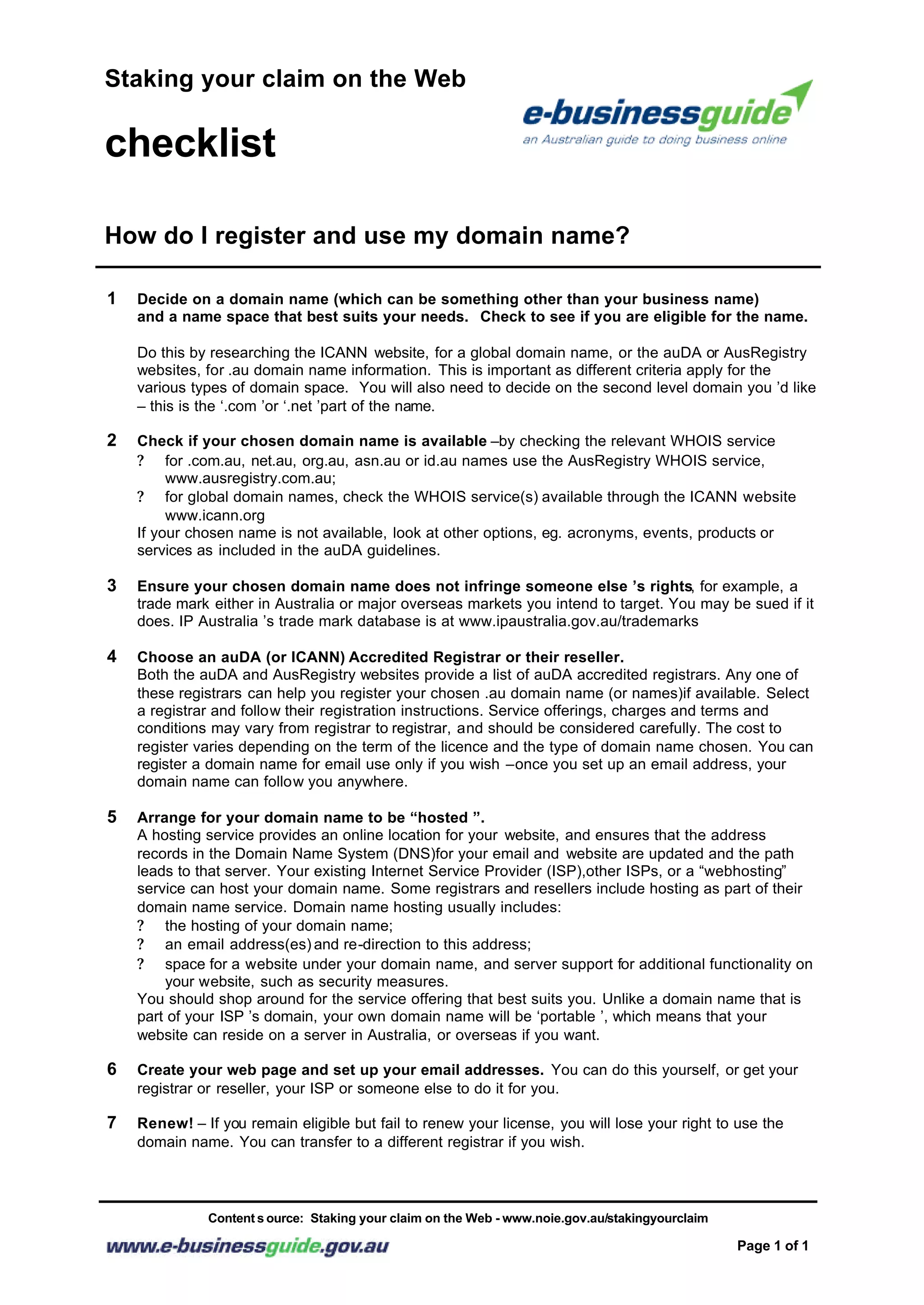
Keep a record of your domain registration details, including the registrar’s contact information, renewal dates, and any transfer instructions. Store this backup offline or in a secure cloud storage account to recover your domain if your registrar goes out of business or faces financial issues. This step ensures you’re not locked out of your domain if things go wrong.
- Registrar Contact Backup: Save key contact details.
- Offline Storage: Prevents data loss from cyberattacks.
- Cloud Backup Options: Use encrypted storage solutions.
- Financial Protection: Avoids domain loss due to registrar failure.
Frequently Asked Questions
How long does it take to buy a domain name?
Most domain purchases complete in minutes, but the process can take longer if you need to verify ownership or resolve any issues with the registrar. Some registrars may require additional steps, like confirming your identity, which can add a few extra hours.
Can I buy a domain name with a credit card or other payment method?
Most registrars accept credit cards, PayPal, or bank transfers. Some may require a credit check for certain domains, especially if you’re buying through an auction or private sale. Always check the registrar’s payment policies before completing your purchase.
What happens if I don’t renew my domain on time?
If you don’t renew your domain, it enters a grace period (usually 30 days) where you can still renew for a fee. After the grace period, your domain may be deleted from the registry, and the name may become available again. To avoid this, set up automatic renewals or pay a premium for a multi-year extension.
Is it possible to transfer a domain from one registrar to another?
Yes, you can transfer a domain to a new registrar, but the process requires approval from the current registrar. You’ll need to initiate a transfer request, wait for authorization (usually 5–7 days), and then complete the transfer through the new registrar. Always check the transfer fee, which can range from $10 to $100.
What should I do if I receive a suspicious email about my domain?
Never click on links or download attachments in suspicious emails related to your domain. Instead, contact your registrar directly using their official website or phone number to verify the request. If the email is legitimate, follow their instructions; if not, ignore it and report it as a scam.
Can I use a domain name for multiple websites?
No, a domain name is tied to one specific website. However, you can use the same domain for different types of online properties, such as a blog, e-commerce site, or portfolio, by setting up different subdomains (e.g., blog.yourdomain.com or shop.yourdomain.com). This keeps your branding consistent across multiple platforms.
How do I protect my domain from cyber threats?
To protect your domain, enable HTTPS, use strong passwords, and set up two-factor authentication. Regularly monitor your domain’s security settings, keep your registrar’s software updated, and avoid sharing your domain registration details publicly. Consider using domain locks to prevent unauthorized transfers.