best cloud hosting for wordpress


WordPress sites thrive on reliable hosting that can scale with traffic and content growth, yet many beginners overlook the importance of choosing the right cloud platform. Unlike shared hosting, which can slow down as your site expands, cloud hosting distributes resources across multiple servers, ensuring consistent performance even during peak loads. This separation of concerns also simplifies maintenance—you don’t have to worry about a single server failing to bring your entire site down. For businesses and creators who expect steady traffic, the right cloud setup isn’t just about speed; it’s about avoiding downtime, securing data, and future-proofing your online presence.
The best cloud hosting for WordPress isn’t just about raw power—it’s about balance. You need a provider that offers managed WordPress support, automatic updates, and tools to optimize performance without requiring deep technical expertise. Some cloud platforms also integrate with popular caching solutions, backups, and security plugins, which can drastically reduce the workload for administrators. Whether you’re running a blog, an e-commerce store, or a membership site, the right hosting environment keeps everything running smoothly while letting you focus on what matters most: creating content and growing your audience.
Below is a list of the best options for cloud hosting for WordPress.
📋 Table of Contents
1. SiteGround Cloud Hosting
SiteGround’s cloud hosting is designed specifically for WordPress sites, offering unmatched performance and reliability. It provides a fully managed solution with automatic updates, daily backups, and a built-in caching system that significantly speeds up your site. This hosting is ideal for WordPress users who prioritize security, speed, and ease of use, especially those who need to handle traffic spikes without downtime. The platform also includes a free SSL certificate and a staging environment to test changes before going live.
- Optimized for WordPress: Engineered with WordPress performance in mind, including a custom caching layer and PHP optimizations.
- Automatic Backups & Security: Daily automated backups and real-time security scanning to protect against threats.
- Free SSL & Staging: Includes free SSL certificates and a staging environment for seamless testing.
- Scalable Performance: Auto-scaling resources to handle traffic surges without manual intervention.
- 24/7 Support: Dedicated support team available around the clock for troubleshooting and assistance.
2. Kinsta Cloud Hosting
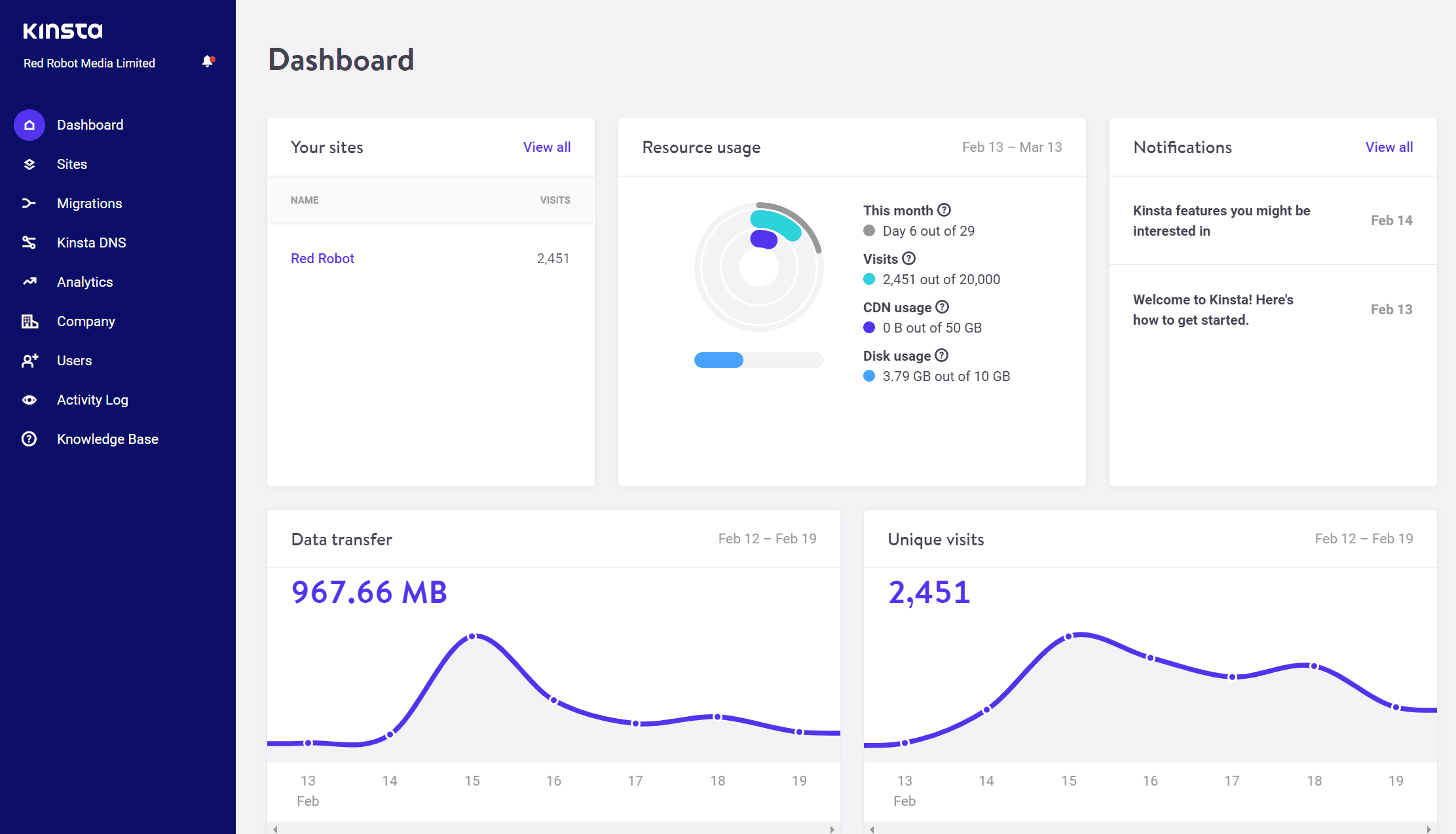
Kinsta specializes in managed WordPress hosting, offering a cloud-based solution that ensures high availability and performance. Their infrastructure is built on Google Cloud Platform, providing enterprise-grade security, automatic backups, and a global network of data centers. Kinsta is perfect for businesses and developers who need a seamless, scalable hosting experience with minimal maintenance. It’s particularly well-suited for high-traffic sites that require fast load times and robust security features.
- Google Cloud Infrastructure: Leverages Google Cloud’s global network for faster load times and better uptime.
- Automatic Backups & Security: Daily backups and DDoS protection to safeguard your site.
- Managed WordPress Optimization: Built-in caching, CDN integration, and PHP optimizations for speed.
- Staging & Multi-Site Support: Free staging environment and support for multi-site WordPress installations.
- 24/7 Priority Support: Dedicated support team with WordPress expertise available around the clock.
3. WP Engine Cloud Hosting

WP Engine’s cloud hosting is tailored for WordPress users who demand top-tier performance and reliability. Their platform integrates AWS infrastructure with a focus on speed, security, and ease of use. WP Engine offers automatic backups, a staging environment, and built-in caching to ensure your site runs smoothly even during traffic surges. This solution is ideal for growing businesses and developers who need a hassle-free, high-performance hosting experience with enterprise-level support.
- AWS Infrastructure: Uses AWS cloud infrastructure for scalability and reliability.
- Automatic Backups & Security: Daily backups and advanced security features to protect your site.
- Built-in Caching & CDN: Optimized caching and Cloudflare integration for faster load times.
- Staging & Multi-Site Support: Free staging environment and support for multi-site WordPress setups.
- 24/7 Support: Dedicated support team with WordPress expertise available around the clock.
4. A2 Hosting Cloud Hosting

A2 Hosting’s cloud hosting is designed to deliver blazing-fast speeds and superior performance for WordPress sites. Their cloud platform uses Turbo Servers, which are optimized for WordPress and deliver up to 20x faster load times. This hosting is great for users who want a balance of speed, affordability, and reliability without sacrificing features like automatic backups and security tools. It’s particularly well-suited for smaller to medium-sized businesses and bloggers who need a cost-effective yet high-performance solution.
- Turbo Servers for Speed: Optimized for WordPress with up to 20x faster load times.
- Automatic Backups & Security: Daily backups and security tools to protect your site.
- Free SSL & CDN: Includes free SSL certificates and Cloudflare integration.
- 24/7 Support: Dedicated support team available around the clock.
- Scalable Resources: Auto-scaling capabilities to handle traffic growth.
5. Cloudways Cloud Hosting
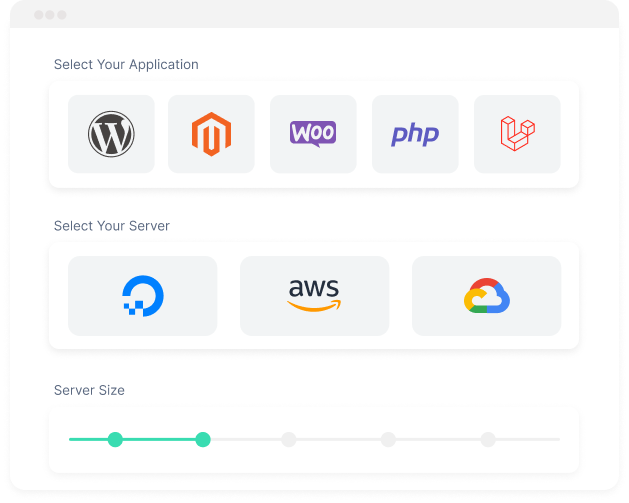
Cloudways offers a flexible cloud hosting solution that allows users to choose their preferred cloud provider, including DigitalOcean, Linode, Vultr, and AWS. Their platform is highly customizable, making it ideal for developers and businesses that want full control over their hosting environment. Cloudways provides automatic backups, security tools, and a staging environment, ensuring your WordPress site remains secure and performant. This hosting is best for users who value flexibility, scalability, and advanced performance features without the complexity of managing their own infrastructure.
- Multi-Cloud Provider Support: Choose from DigitalOcean, Linode, Vultr, and AWS for flexibility.
- Automatic Backups & Security: Daily backups and advanced security features to protect your site.
- Built-in Caching & CDN: Optimized caching and Cloudflare integration for faster load times.
- Staging & Multi-Site Support: Free staging environment and support for multi-site WordPress setups.
- 24/7 Support: Dedicated support team available around the clock.
6. DreamObjects Cloud Hosting (by DreamHost)
/images/2025/07/29/dreamhost_website-dashboard_2.png)
DreamObjects provides a cloud-based hosting solution that is both affordable and reliable, making it a great option for WordPress users on a budget. Their platform includes automatic backups, security features, and a staging environment, ensuring your site remains secure and performant. DreamObjects is particularly well-suited for small businesses, bloggers, and startups that need a cost-effective yet high-quality hosting solution without the complexity of managing their own infrastructure. It’s a solid choice for those who want a simple, no-frills cloud hosting experience.
- Affordable Pricing: Budget-friendly plans with no hidden fees.
- Automatic Backups & Security: Daily backups and security tools to protect your site.
- Free SSL & CDN: Includes free SSL certificates and Cloudflare integration.
- 24/7 Support: Dedicated support team available around the clock.
- Scalable Resources: Auto-scaling capabilities to handle traffic growth.
7. Hostinger Cloud Hosting
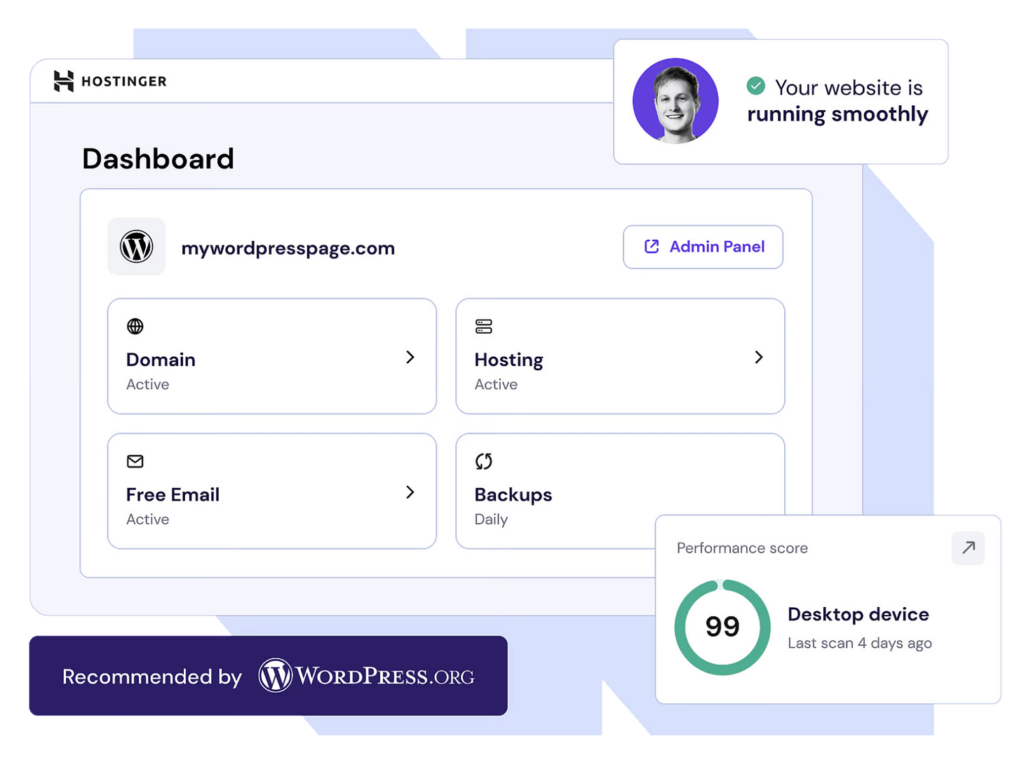
Hostinger’s cloud hosting is designed to deliver high performance and reliability at an affordable price. Their platform includes automatic backups, security tools, and a staging environment, making it a great option for WordPress users who want a cost-effective solution without compromising on features. Hostinger is particularly well-suited for small businesses, bloggers, and startups that need a simple, easy-to-use hosting environment. It’s a solid choice for those who want a balance of performance, affordability, and ease of use.
- Optimized for WordPress: Built-in caching and PHP optimizations for faster load times.
- Automatic Backups & Security: Daily backups and security features to protect your site.
- Free SSL & CDN: Includes free SSL certificates and Cloudflare integration.
- 24/7 Support: Dedicated support team available around the clock.
- Scalable Resources: Auto-scaling capabilities to handle traffic growth.
8. Hetzner Cloud Hosting

Hetzner Cloud offers a reliable and cost-effective cloud hosting solution, particularly popular in Europe but available globally. Their platform provides automatic backups, security features, and a staging environment, making it a great option for WordPress users who need a simple, no-frills hosting environment. Hetzner is well-suited for small businesses, developers, and individuals who want a budget-friendly solution with strong performance and reliability. It’s an excellent choice for those who prioritize affordability and ease of use without sacrificing essential features.
- Affordable Pricing: Low-cost plans with high performance and reliability.
- Automatic Backups & Security: Daily backups and security tools to protect your site.
- Scalable Resources: Auto-scaling capabilities to handle traffic growth.
- Global Data Centers: Multiple data centers worldwide for faster load times.
- 24/7 Support: Dedicated support team available around the clock.
9. Vercel Cloud Hosting (for WordPress via plugins)

Vercel is primarily known for its static site hosting, but it also offers a cloud hosting solution that can be integrated with WordPress via plugins. This approach is ideal for developers who want to leverage Vercel’s fast, scalable infrastructure for dynamic WordPress sites. Vercel’s platform provides automatic deployments, built-in caching, and a global network of edge locations, ensuring low-latency performance. It’s a great option for developers and teams looking to modernize their hosting stack with a modern, developer-friendly platform.
- Global Edge Network: Low-latency performance with edge locations worldwide.
- Automatic Deployments: Seamless deployment of WordPress sites with plugins.
- Built-in Caching: Optimized caching for faster load times.
- Scalability: Auto-scaling resources to handle traffic growth.
- Developer-Friendly: Intuitive interface and strong developer support.
Frequently Asked Questions
What are the key differences between shared hosting and cloud hosting for WordPress?
Cloud hosting for WordPress provides dedicated resources and scalability, ensuring your site performs well even during traffic spikes. Shared hosting, on the other hand, allocates shared resources among multiple sites, which can lead to slower performance and downtime if other sites on the server experience high traffic. Cloud hosting offers better control, security, and reliability, making it ideal for growing WordPress sites.
How do I choose the right cloud hosting provider for my WordPress site?
Consider your site’s traffic volume, performance needs, and budget. Look for providers that offer automatic backups, security features, and a staging environment. If you need global reach, choose a provider with multiple data centers. For developers, a flexible platform like Cloudways or Vercel can offer more control and scalability.
Is managed WordPress hosting worth the extra cost compared to self-managed cloud hosting?
Managed WordPress hosting eliminates the need for manual updates, backups, and security checks, saving you time and reducing the risk of downtime. While it comes at a higher cost, the convenience and reliability often justify the investment, especially for growing businesses or high-traffic sites.
What security features should I look for in cloud hosting for WordPress?
Prioritize providers that offer automatic backups, DDoS protection, and SSL certificates. Look for features like firewalls, malware scanning, and regular security updates to keep your site safe from threats. Some providers also offer staging environments for testing security patches before applying them to your live site.
How can I optimize my WordPress site for better performance on cloud hosting?
Enable caching plugins, use a content delivery network (CDN), and optimize images. Regularly update your WordPress core, plugins, and themes to ensure compatibility with your hosting environment. Monitor your site’s performance using tools like Google PageSpeed Insights and make adjustments as needed.
What are the best practices for backing up my WordPress site on cloud hosting?
Use automated backup tools provided by your hosting provider to ensure regular backups. Test your backups periodically to confirm they work correctly. Store backups securely and consider using a third-party service for additional redundancy. Avoid relying solely on manual backups, as they can be error-prone.
Can I migrate my existing WordPress site to cloud hosting without downtime?
Most cloud hosting providers offer migration services or tools that minimize downtime. Choose a provider with a reputation for reliable migrations and follow their migration guides carefully. Testing your site in a staging environment before going live can also help ensure a smooth transition.