
best web hosting server


Choosing the right web hosting server can make or break your online presence. The performance, reliability, and scalability of your hosting solution directly impact how fast your site loads, how secure it stays, and how smoothly it handles traffic spikes. Many beginners assume all hosting providers offer similar services, but in reality, differences in server infrastructure, resource allocation, and technical support can lead to vastly different experiences. A poorly chosen hosting plan might result in slow load times, frequent downtime, or even security vulnerabilities that could compromise your data or reputation. Investing time in researching and selecting the right hosting isn’t just about avoiding headaches—it’s about ensuring your website operates efficiently and consistently.
The type of hosting you pick also determines how much control you have over your server environment. Shared hosting offers the lowest cost but comes with shared resources, meaning performance can fluctuate based on other users’ activity. VPS and dedicated hosting provide more stability and customization, though at a higher cost. For businesses or sites expecting steady growth, choosing a hosting provider with solid performance metrics and easy scalability options is critical. The right server won’t just keep your site running smoothly—it’ll help you avoid costly downtime and build trust with visitors who expect quick, reliable access. Below, I’ve assembled a list below of the best options for web hosting servers.
📋 Table of Contents
1. Shared Hosting

Shared hosting remains the most affordable and beginner-friendly option for websites with low to moderate traffic. It involves multiple websites sharing a single server, which keeps costs low but can impact performance if one site experiences heavy traffic. Bluehost, for example, is a popular choice because it offers a free domain for the first year and integrates with WordPress, making it ideal for new bloggers or small businesses. While shared hosting may not scale as efficiently as other options, it’s a solid starting point for those who prioritize cost and simplicity over advanced features.
- Low Cost: Typically starts at $2.95/month, making it accessible for beginners and small businesses.
- Easy Setup: User-friendly control panels and one-click WordPress installs streamline the setup process.
- Basic Security: Includes essential security features like malware scanning and SSL certificates.
- Good for Beginners: Ideal for personal blogs, small websites, or startups with limited technical expertise.
2. VPS Hosting
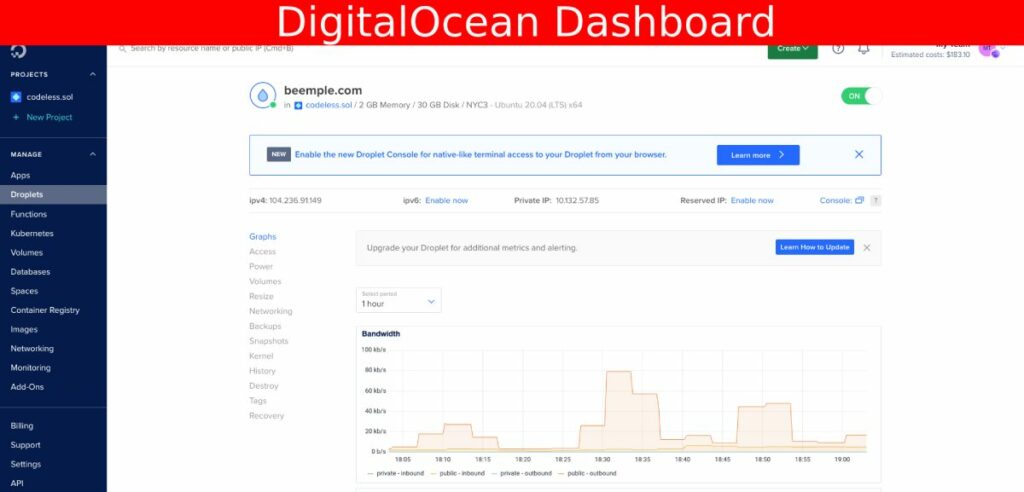
Virtual Private Server (VPS) hosting offers a middle ground between shared and dedicated hosting. It provides a dedicated section of a server for your website, giving you more control, performance, and scalability than shared hosting. DigitalOcean, for instance, is known for its simplicity and affordability, making it a great choice for developers and growing businesses. VPS hosting is ideal for websites that experience moderate traffic but don’t require the full power of a dedicated server. It’s also a cost-effective way to upgrade from shared hosting without paying for an entire server.
- Performance and Control: Isolated server environment ensures consistent performance and root access for custom configurations.
- Scalability: Easily upgrade resources like CPU, RAM, or storage as your site grows.
- Cost-Effective: Priced competitively, often starting at $4–$15/month for basic plans.
- Great for Developers: Supports Linux-based environments and is developer-friendly with easy management tools.
3. Cloud Hosting
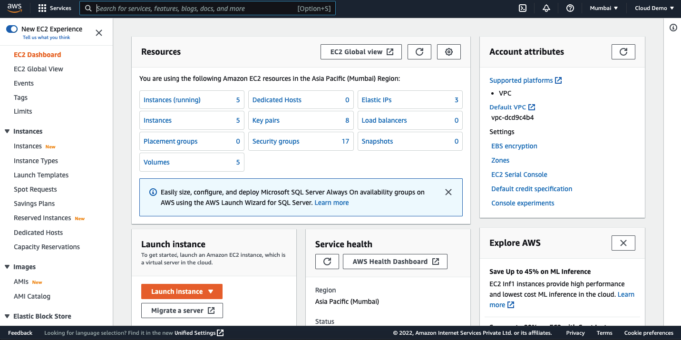
Cloud hosting leverages multiple servers across a network to provide scalability, flexibility, and redundancy. Platforms like Amazon Web Services (AWS) offer a pay-as-you-go model, allowing you to scale resources up or down based on demand. This makes cloud hosting ideal for businesses with unpredictable traffic, such as seasonal websites or those expecting rapid growth. While it requires a steeper learning curve, cloud hosting ensures high availability and performance, even during traffic spikes. It’s particularly valuable for enterprises or developers who need advanced features like automated backups and load balancing.
- Scalability: Instantly scale resources to handle traffic surges without downtime.
- High Availability: Redundant servers ensure minimal downtime and reliable uptime.
- Pay-as-You-Go Pricing: Pay only for the resources you use, making it cost-efficient for variable workloads.
- Advanced Features: Includes automated backups, DDoS protection, and global network distribution.
4. Dedicated Server Hosting

A dedicated server provides an entire physical server exclusively for your website, offering unmatched performance, security, and control. This option is best suited for high-traffic websites, large businesses, or those requiring custom software installations. While it’s the most expensive hosting option, dedicated servers ensure optimal speed, minimal latency, and full administrative access. Companies like Verizon Cloud offer managed dedicated servers, which include 24/7 support and maintenance, making it easier for non-technical users to manage their infrastructure.
- Full Server Control: Access to the entire server resources for custom configurations and software.
- High Performance: No shared resources mean consistent speed and reliability, even during peak loads.
- Enhanced Security: Isolated environment reduces risks from malware or DDoS attacks.
- Ideal for Large Websites: Best for enterprise-level sites with high traffic and complex requirements.
5. Managed WordPress Hosting

Managed WordPress hosting is tailored specifically for WordPress websites, offering optimized performance, automatic updates, and expert support. Hosts like SiteGround provide features such as SSD storage, free daily backups, and a built-in caching system to speed up your site. This type of hosting is ideal for bloggers, small business owners, or anyone using WordPress who wants to focus on content creation without worrying about technical issues. The convenience of managed hosting often comes with a premium price, but the benefits—such as faster load times and fewer downtime issues—are well worth it for WordPress users.
- Optimized for WordPress: Specialized configurations and plugins for seamless WordPress performance.
- Automatic Backups: Daily backups and point-in-time recovery to protect against data loss.
- Expert Support: Dedicated support team available 24/7 for troubleshooting.
- Fast Performance: SSD storage and caching systems ensure quick load times.
6. Green Hosting

Green hosting focuses on sustainability by using renewable energy sources and eco-friendly data centers. Companies like Envoy Green prioritize environmental responsibility while offering reliable hosting services. This option is ideal for socially conscious businesses, eco-friendly brands, or anyone looking to reduce their carbon footprint. While green hosting may not offer the same performance as traditional cloud hosting, it’s a great choice for those who value ethical practices alongside their online presence. It’s also a growing trend, with many green hosts now offering transparent energy usage reports and carbon-neutral certifications.
- Renewable Energy Powered: Data centers use solar, wind, or other renewable energy sources.
- Carbon-Neutral: Offsets carbon emissions to achieve net-zero environmental impact.
- Eco-Friendly Infrastructure: Energy-efficient servers and cooling systems reduce environmental impact.
- Transparency: Provides detailed reports on energy usage and sustainability efforts.
7. Kubernetes-Based Hosting
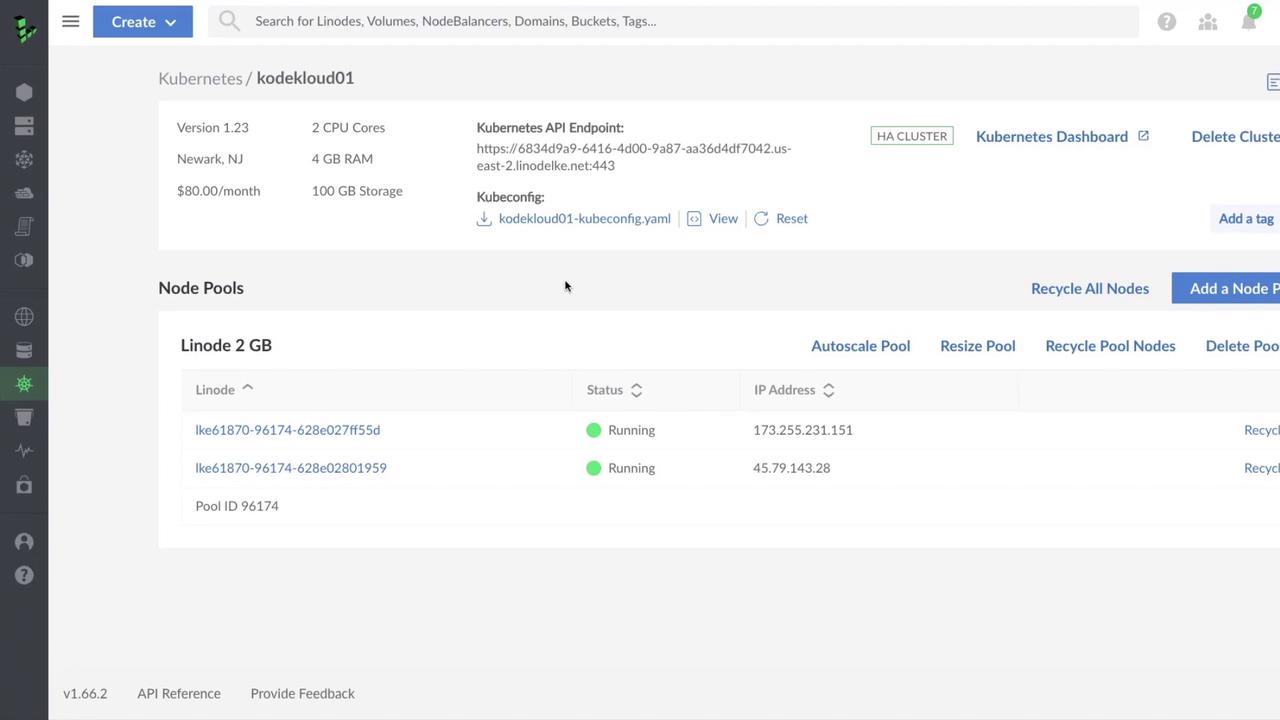
Kubernetes-based hosting leverages container orchestration to manage and scale applications efficiently. Platforms like Linode offer Kubernetes clusters that allow developers to deploy, scale, and manage applications with ease. This type of hosting is ideal for tech-savvy users, developers, or businesses with complex microservices architectures. Kubernetes hosting provides flexibility, automation, and high availability, making it a powerful choice for modern web applications. However, it requires a deeper understanding of containerization and orchestration tools, so it’s best suited for users with technical expertise or teams that can manage the infrastructure.
- Container Orchestration: Automates deployment, scaling, and management of containerized applications.
- High Scalability: Easily scale resources up or down based on demand.
- Automated Backups: Regular backups and disaster recovery options for data protection.
- Advanced Security: Integrated security features like network policies and identity management.
8. Serverless Hosting
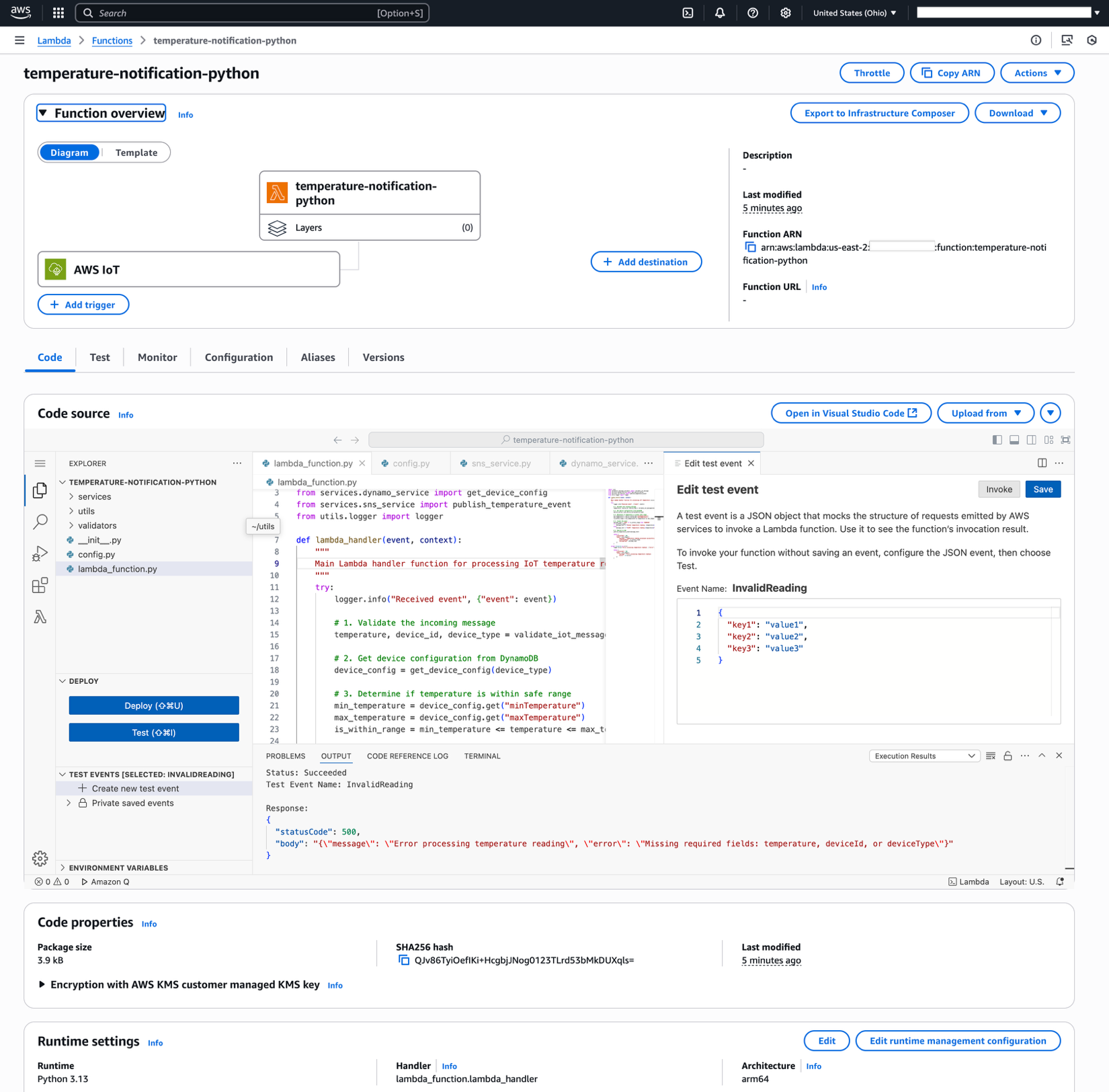
Serverless hosting automates server management, allowing developers to focus solely on writing code. AWS Lambda and similar services enable you to run code without worrying about server provisioning or maintenance. This model is perfect for developers, startups, or businesses with unpredictable traffic patterns. Serverless hosting is particularly useful for APIs, microservices, and event-driven applications. While it may not be ideal for static websites, it offers cost efficiency and scalability for dynamic content. However, it can introduce complexity for users unfamiliar with cloud-native architectures.
- Automatic Scaling: Resources scale automatically based on demand, eliminating manual intervention.
- Pay-Per-Use Pricing: Charge only for the compute time consumed, reducing costs for low-traffic applications.
- No Server Management: Developers handle only the code, leaving infrastructure management to the platform.
- Global Reach: Deploy applications across multiple regions for low-latency access.
9. Hybrid Hosting
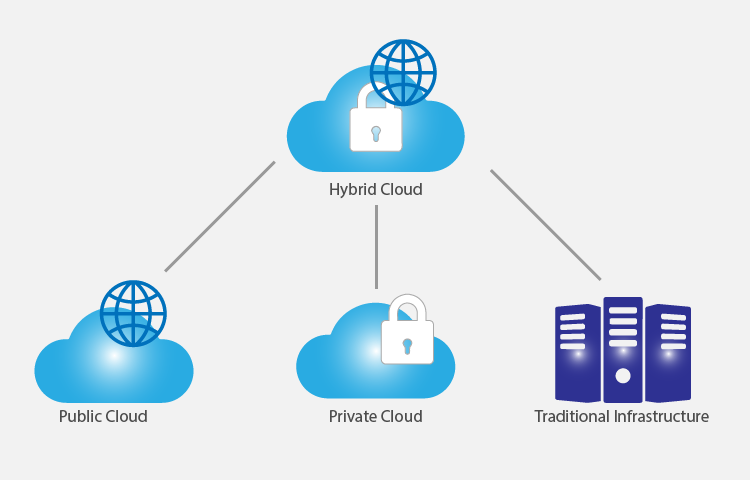
Hybrid hosting combines on-premise infrastructure with cloud services to create a flexible and scalable solution. This approach allows businesses to keep sensitive data on-premise while leveraging cloud resources for scalable applications. Hybrid hosting is ideal for enterprises with complex IT environments, regulatory compliance needs, or those looking to reduce cloud costs. It offers the best of both worlds—security and control from on-premise systems alongside the scalability and innovation of cloud services. However, setting up and managing a hybrid infrastructure requires expertise, making it best suited for organizations with dedicated IT teams.
- On-Premise Security: Sensitive data remains within secure, controlled environments.
- Cloud Scalability: Leverage cloud resources for scalable applications and workloads.
- Flexibility: Mix and match on-premise and cloud services based on specific needs.
- Regulatory Compliance: Easily meet compliance requirements by keeping sensitive data off the cloud.
Frequently Asked Questions
What factors should I consider when choosing web hosting?
When selecting web hosting, consider your website’s traffic expectations, technical expertise, budget, and specific needs like security, scalability, and ease of management. Shared hosting is best for low-traffic sites, while dedicated or cloud hosting is ideal for high-traffic or complex applications. Additionally, look for features like uptime guarantees, customer support, and backup options to ensure reliability and peace of mind.
Is shared hosting suitable for e-commerce websites?
Shared hosting can work for small e-commerce sites with low to moderate traffic, but it may not handle high volumes efficiently. For better performance and security, consider managed WordPress hosting or VPS hosting, which offer more resources and dedicated support for e-commerce platforms like WooCommerce.
How do I know if my website needs a dedicated server?
A dedicated server is typically necessary if your website experiences high traffic, requires custom software installations, or needs full administrative control over server resources. If your site is growing rapidly or handles sensitive data, a dedicated server can provide the performance and security benefits you need to avoid downtime or slow load times.
What is the difference between managed and unmanaged hosting?
Managed hosting includes server maintenance, updates, and technical support, while unmanaged hosting requires you to handle these tasks yourself. Managed hosting is ideal for beginners or users who prefer a hands-off approach, whereas unmanaged hosting is better for experienced users who want full control over their server environment.
Can I switch hosting providers without downtime?
Most reputable hosting providers offer migration services to minimize downtime during a switch. However, the ease of migration depends on the complexity of your website and the hosting provider’s support. Always plan ahead and test migrations in a staging environment to ensure a smooth transition.
What security measures should I look for in web hosting?
Look for hosting providers that offer SSL certificates, regular backups, malware scanning, DDoS protection, and secure file permissions. Managed hosting often includes these features, while unmanaged hosting may require you to implement them yourself. Prioritize providers with strong security certifications and transparent security policies.
How do I choose the right hosting plan for my budget?
Start by assessing your current and projected traffic. Shared hosting is the most budget-friendly, while dedicated or cloud hosting can be more expensive but offer better performance. Consider long-term costs, including hidden fees like domain registration or add-on services. Many providers offer discounts for annual commitments, so plan accordingly to maximize savings.

