best self hosted apps


Self-hosting apps gives you control over your data, performance, and privacy without relying on third-party platforms. Unlike cloud-based services that often prioritize scalability and monetization over user autonomy, self-hosted applications let you tailor the experience to your exact needs—whether that’s security, speed, or customization. The trade-off is managing the infrastructure yourself, but the freedom and reliability it offers are worth the effort for power users, developers, and businesses that demand more than what public services can provide.
For those who value independence, self-hosting isn’t just about avoiding hidden fees or data collection; it’s about ensuring your tools work exactly as intended without interference. Many people choose this approach for security-conscious environments, like government agencies, healthcare providers, or even personal projects where sensitive information must stay secure. The effort required upfront pays off in long-term stability and adaptability, though it does mean taking responsibility for maintenance, updates, and troubleshooting. If you’re willing to invest the time, the results can be far more robust than what most commercial services can deliver.
Below, I’ve assembled a list of the best options for self-hosted apps that deliver on performance, security, and flexibility.
📋 Table of Contents
1. Nextcloud
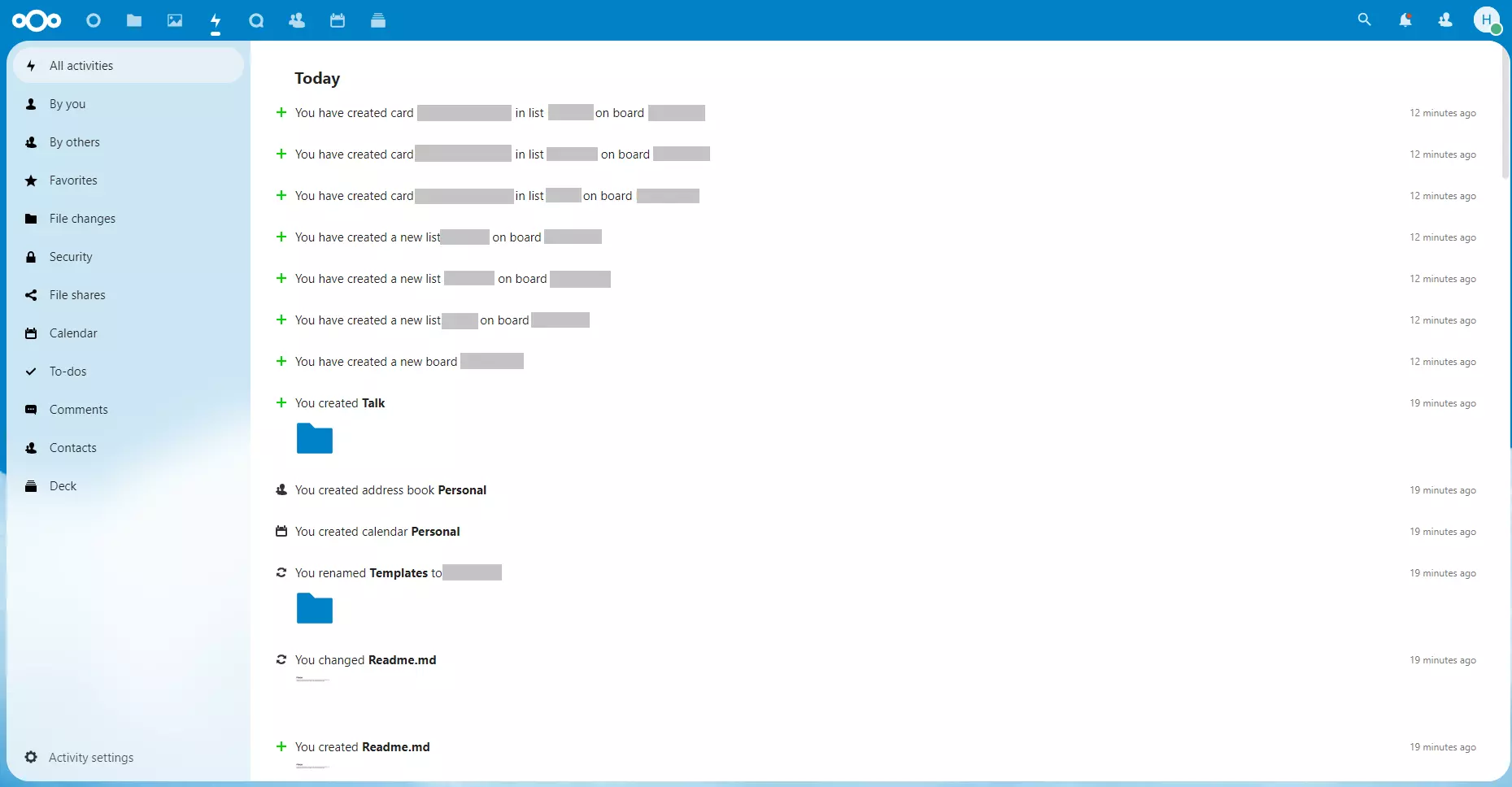
Nextcloud is a powerful open-source self-hosted solution that transforms your storage into a private, secure cloud. It lets you store files, photos, and documents on your own server, giving you full control over your data. Unlike traditional cloud services, Nextcloud doesn’t sell your information to third parties, making it ideal for privacy-conscious users and businesses. It’s also highly customizable, allowing you to extend its functionality with apps like calendar, email, or video conferencing. Whether you’re a small business or a home user, Nextcloud offers a seamless way to manage your digital life without relying on external providers.
- File Storage & Sync: Securely store and sync files across devices with encryption and versioning.
- Privacy-Focused: No data is sold to third parties; all files remain on your own infrastructure.
- App Ecosystem: Over 100 apps extend functionality, including email, video conferencing, and task management.
- Cross-Platform: Works on Windows, macOS, Linux, and mobile devices.
- Self-Managed: Host it on your own server or use cloud providers like AWS or DigitalOcean.
2. Prosody
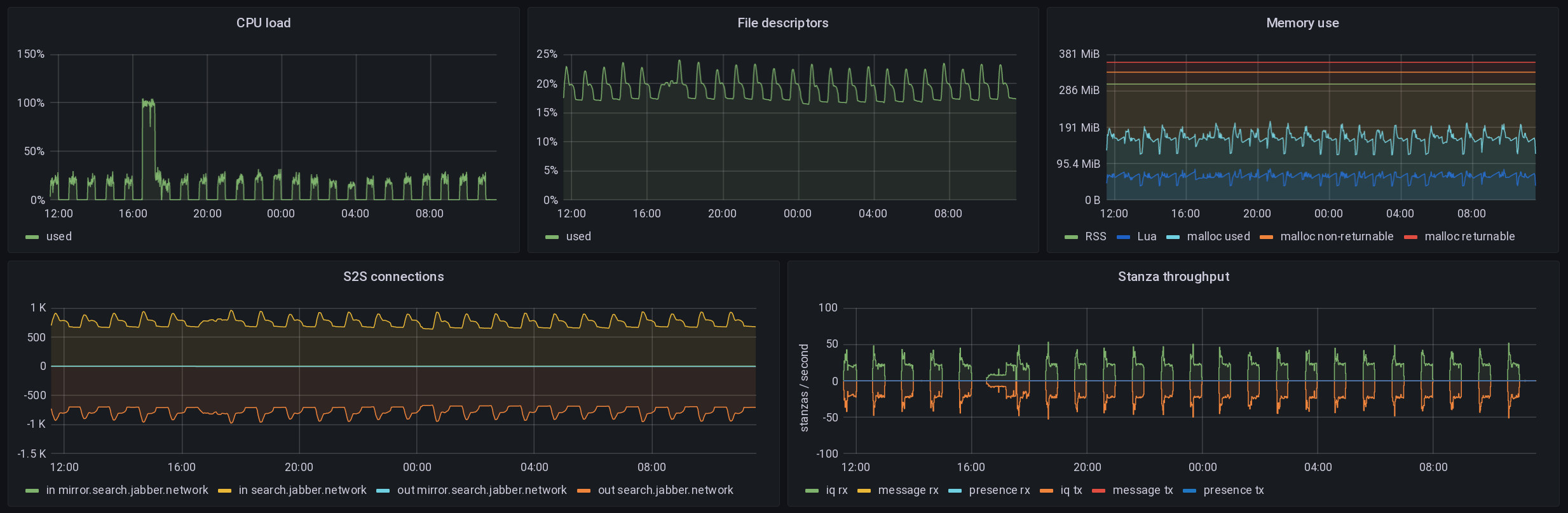
Prosody is an open-source XMPP server that lets you host your own instant messaging and chat platform. Unlike commercial services, Prosody gives you complete control over your communication, including encryption, user management, and customization. It’s particularly popular among privacy advocates and businesses that need secure, decentralized messaging. Prosody supports plugins for features like video calls, file sharing, and even SMS gateways, making it a flexible choice for teams or individuals who want to avoid relying on centralized platforms. Its lightweight design also makes it easy to deploy on a home server or small business network.
- XMPP Protocol: Supports encrypted messaging with end-to-end encryption options.
- Plugin-Based: Extend functionality with plugins for video calls, file sharing, and more.
- Self-Hosted & Secure: No third-party tracking; full control over user data.
- Lightweight & Fast: Optimized for performance, making it ideal for low-resource servers.
- Multi-Platform: Works with clients like Jitsi, Pidgin, and custom apps.
3. Jellyfin
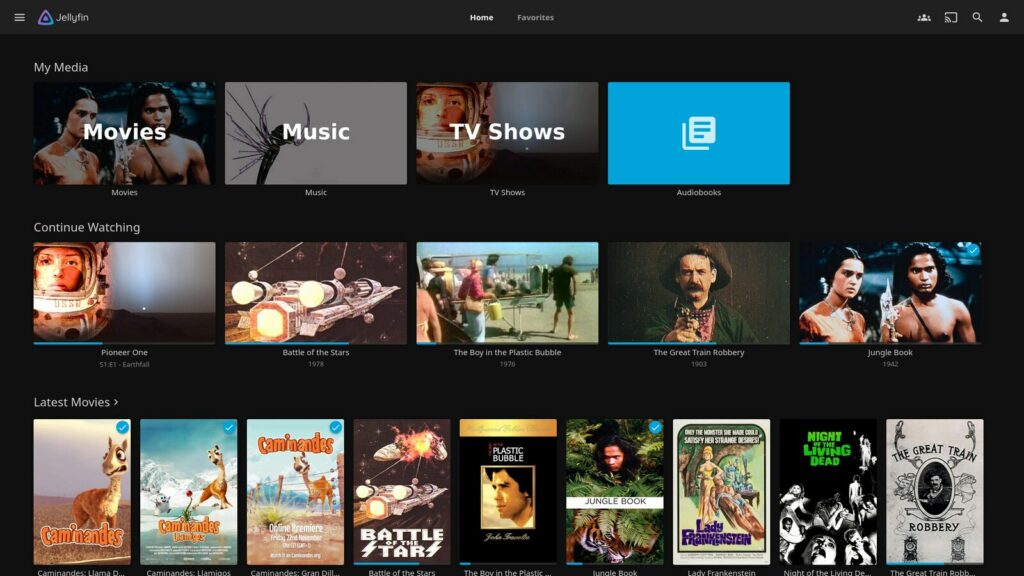
Jellyfin is a free, self-hosted media server that lets you stream your movies, TV shows, and music to any device. Unlike streaming services that require subscriptions, Jellyfin gives you full access to your personal library without ads or data restrictions. It supports a wide range of formats and devices, including smart TVs, smartphones, and gaming consoles. Jellyfin also includes built-in features like parental controls, playlists, and offline playback, making it a great choice for families or anyone who wants to avoid relying on centralized streaming platforms. Its open-source nature means you can customize it to fit your exact needs.
- Media Streaming: Stream movies, TV shows, and music to any device with minimal quality loss.
- Offline Playback: Download content for offline viewing and playback.
- Parental Controls: Restrict content based on age or rating for family-friendly use.
- Multi-Platform Support: Works with Android, iOS, smart TVs, and gaming consoles.
- Customizable: Extend functionality with plugins and themes.
4. OwnCloud

OwnCloud is another open-source self-hosted solution that focuses on file storage and collaboration. It’s designed to be user-friendly while still offering powerful features like versioning, sharing, and offline access. Unlike Nextcloud, OwnCloud has a slightly different architecture, making it a great alternative for those who want a simpler setup. It’s particularly useful for businesses or individuals who need to sync files across multiple devices without relying on cloud services. OwnCloud also integrates with popular apps like Google Drive or Dropbox for seamless workflows, making it a versatile choice for modern users.
- File Sync & Share: Sync files across devices and share them securely with others.
- Version Control: Restore deleted files or revert to previous versions easily.
- Offline Access: Work with files even when you’re not connected to the internet.
- Integration with Apps: Works with Google Drive, Dropbox, and other cloud services.
- User-Friendly: Simple interface with advanced features for power users.
5. Pihole
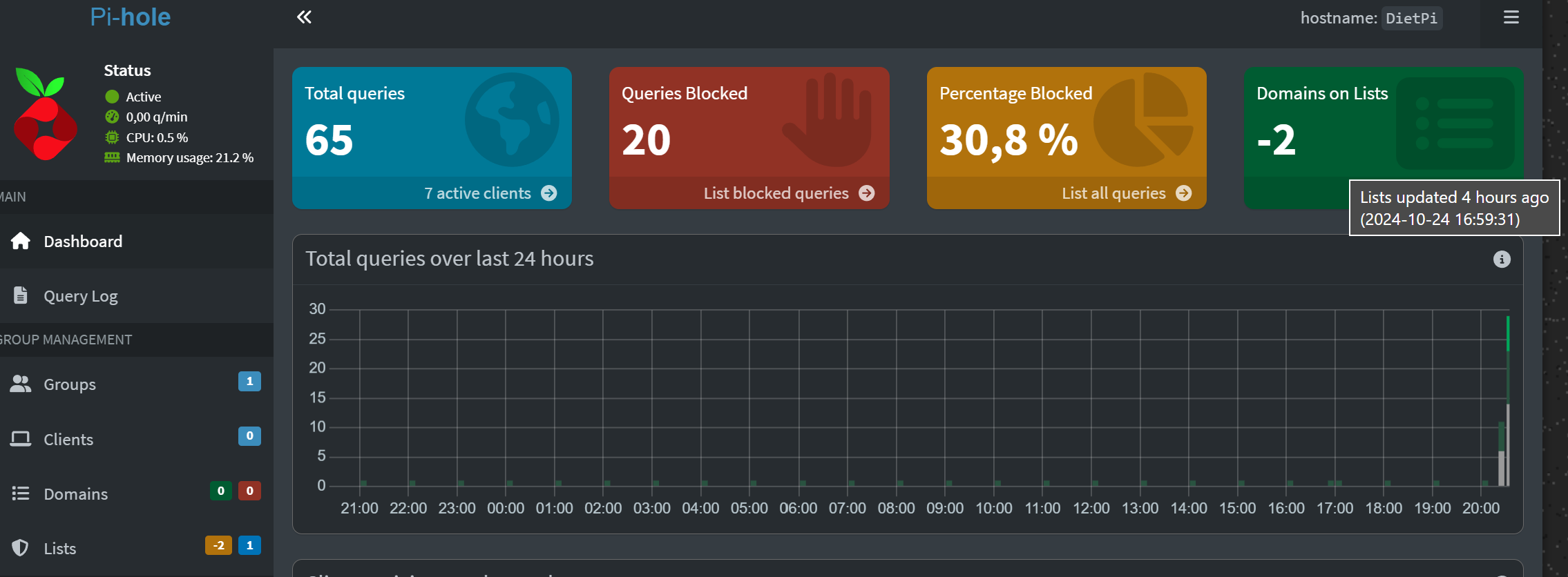
Pi-hole is a network-wide ad blocker that runs on a Raspberry Pi or any Linux server. It filters out ads and trackers from your entire home or office network, improving privacy and reducing bandwidth usage. Unlike browser extensions, Pi-hole works at the DNS level, meaning it blocks ads even on devices that don’t have a browser. This makes it ideal for families, businesses, or anyone who wants to minimize online tracking. Pi-hole is also highly customizable, allowing you to block specific websites or domains based on your needs. Its open-source nature means you can modify it to fit your exact requirements.
- Network-Wide Ad Blocking: Blocks ads and trackers from all devices on your network.
- DNS Filtering: Works at the DNS level to block malicious and unwanted content.
- Customizable Rules: Block specific websites or domains with ease.
- Low Resource Usage: Runs efficiently on a Raspberry Pi or any Linux server.
- Open-Source & Free: No hidden costs; fully customizable for privacy.
6. Nextcloud Contacts
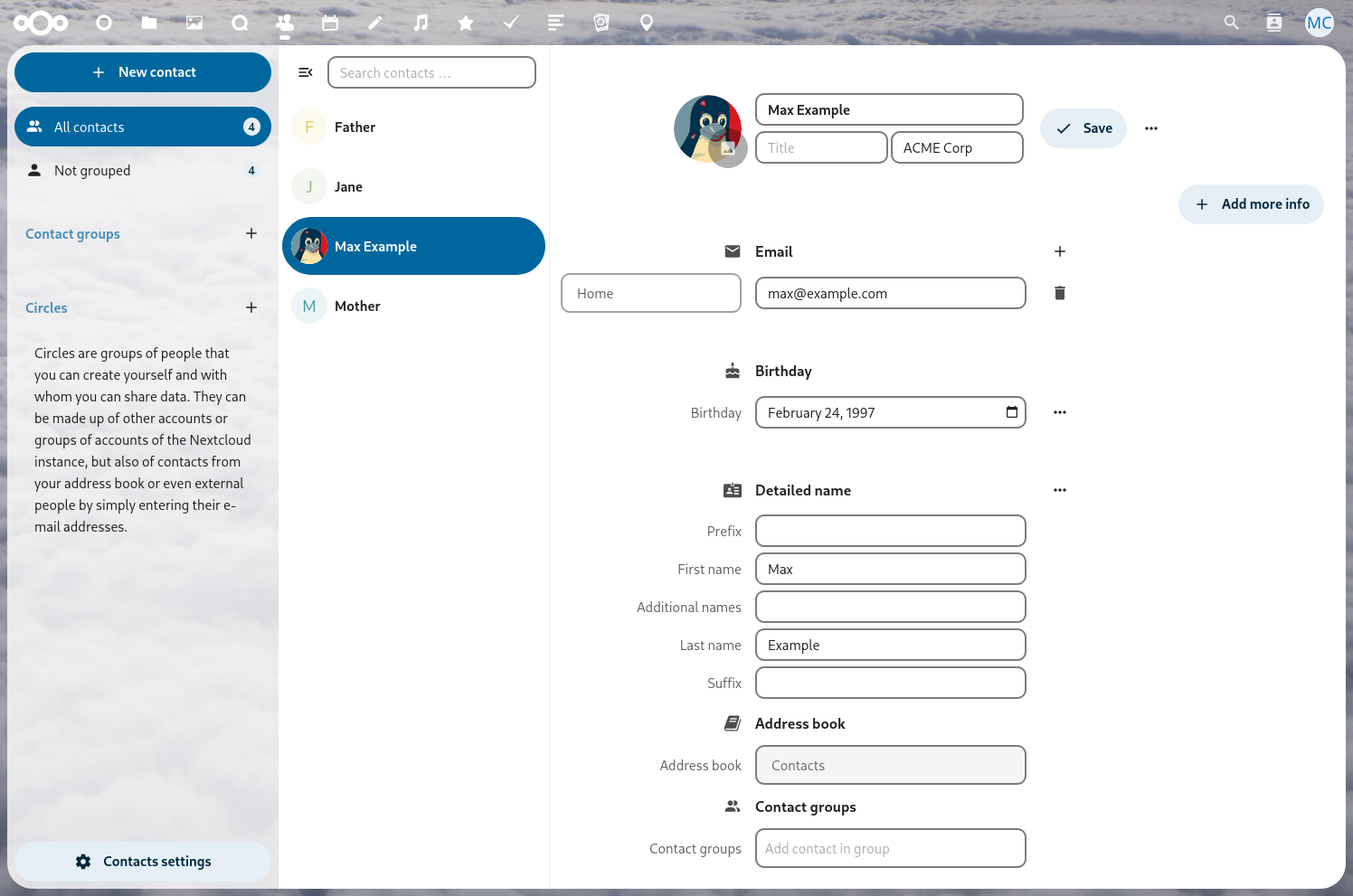
Nextcloud Contacts is an app that syncs and manages your phone contacts directly on your self-hosted Nextcloud server. It lets you store, edit, and share contacts without relying on third-party services like Google or Apple. This is particularly useful for privacy-conscious users who want to avoid syncing their contacts to cloud platforms. Nextcloud Contacts also supports group contacts, making it easier to manage shared directories for work or family. With end-to-end encryption, your contacts remain secure and private, ensuring no third party can access them. It’s a seamless way to keep your personal data under your control.
- Contact Sync: Sync contacts from your phone to Nextcloud securely.
- Group Contacts: Create and manage shared contact groups easily.
- End-to-End Encryption: Ensure your contacts are encrypted and private.
- Cross-Platform: Works with Android, iOS, and desktop clients.
- No Third-Party Access: No data is sold or shared with external services.
7. Matrix
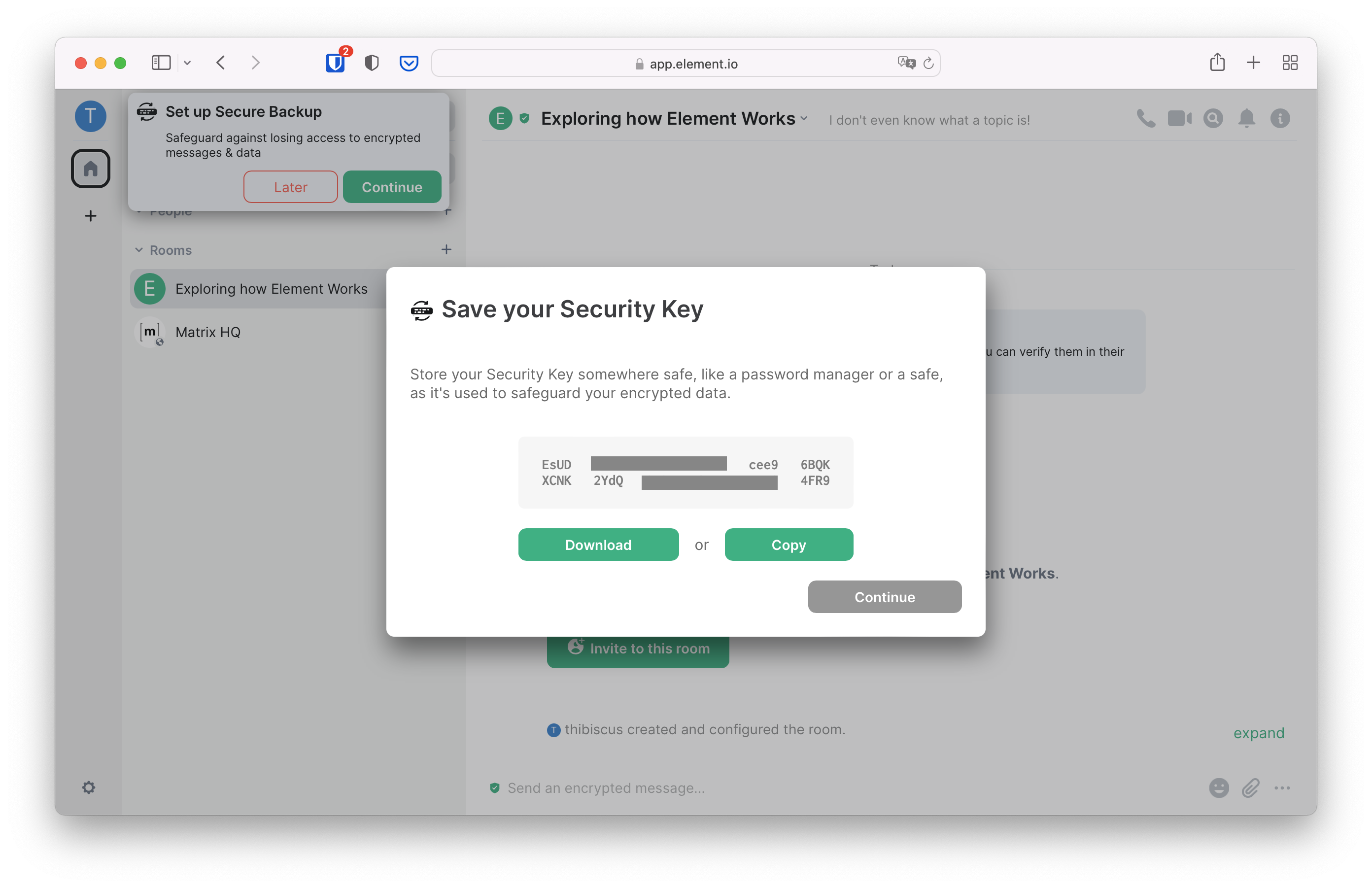
Matrix is an open-source, decentralized messaging platform that lets you chat securely with friends, family, or colleagues. Unlike traditional messaging apps, Matrix operates on servers you control, ensuring your conversations remain private and free from surveillance. It supports end-to-end encryption, making it one of the most secure options for secure communication. Matrix also integrates with other apps and services, allowing you to sync contacts and messages across different devices. Its open-source nature means you can customize it to fit your needs, whether you’re a privacy advocate or a business looking for a secure communication tool.
- Decentralized Messaging: Chat with anyone on the Matrix network without relying on a single provider.
- End-to-End Encryption: Ensure your messages are encrypted and private.
- Cross-Platform: Works on Android, iOS, desktop, and web clients.
- Customizable Servers: Host your own server or join existing ones.
- Integration with Apps: Sync contacts and messages with other apps like Signal or Telegram.
8. Syncthing
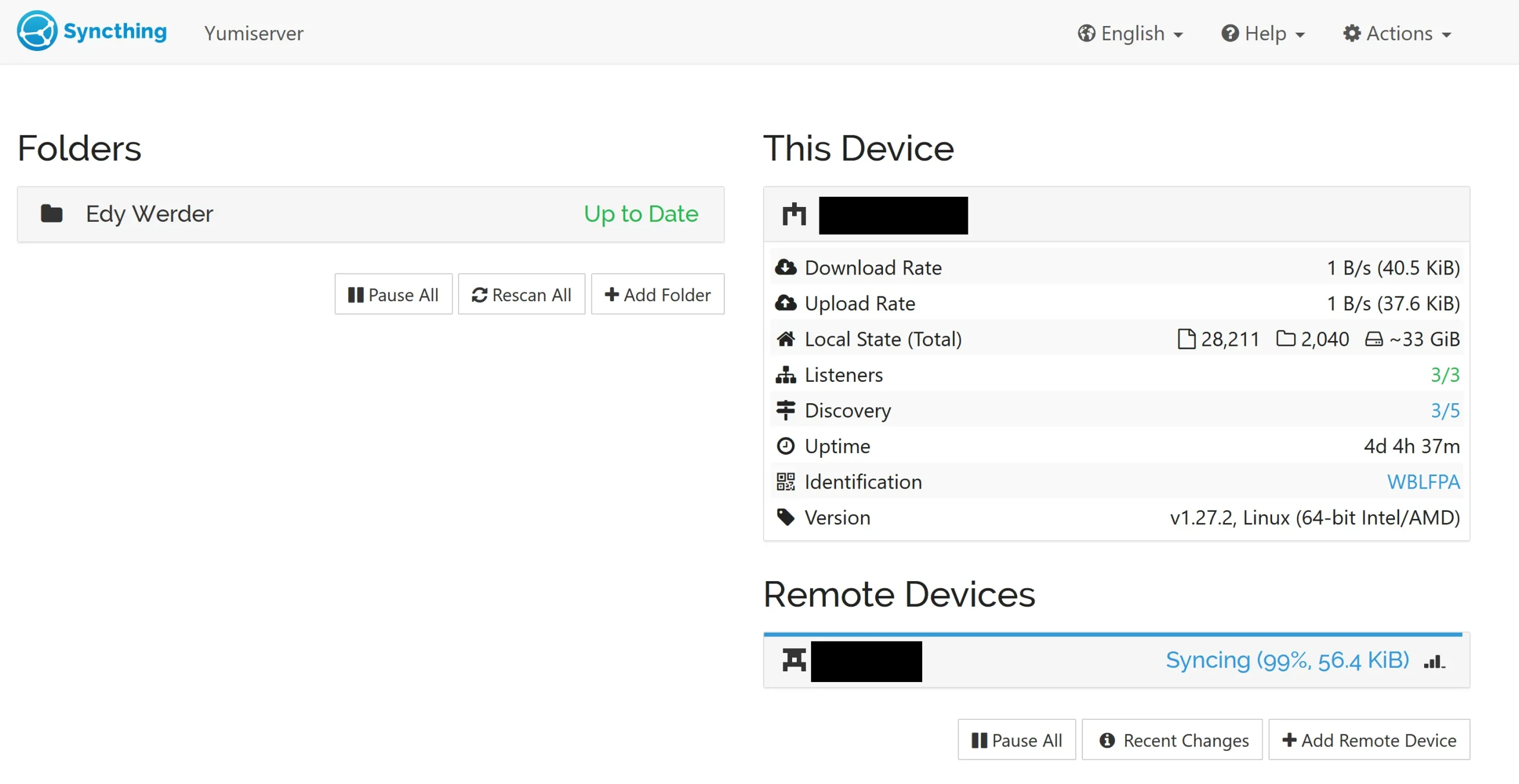
Syncthing is a peer-to-peer file synchronization tool that lets you sync files across multiple devices without relying on cloud services. It works by connecting devices directly, ensuring your files stay in sync automatically. Syncthing is ideal for users who want to avoid cloud storage entirely, whether you’re syncing photos, documents, or backups. It supports encryption, making it a secure option for sensitive files. Syncthing is also lightweight and easy to set up, making it a great choice for both beginners and advanced users. Its open-source nature means you can customize it to fit your exact needs, including setting up automatic backups or sharing files with others.
- Peer-to-Peer Sync: Sync files directly between devices without cloud storage.
- Encrypted Transfers: Ensure files are encrypted during transfer.
- Automatic Backups: Set up automatic backups for important files.
- Cross-Platform: Works on Windows, macOS, Linux, Android, and iOS.
- No Cloud Dependencies: No data is sent to third-party servers.
9. WordPress

WordPress is more than just a blogging platform—it’s a powerful self-hosted content management system (CMS) that powers millions of websites worldwide. Whether you’re running a personal blog, a business website, or an e-commerce store, WordPress offers unmatched flexibility and customization. With thousands of plugins and themes, you can extend its functionality to create almost any type of website. Self-hosting WordPress means you have full control over your content, security, and performance, without relying on third-party services. It’s also highly scalable, making it suitable for small businesses and large enterprises alike. Its open-source nature ensures it remains free and constantly updated with new features.
- Content Management: Create and manage websites, blogs, and e-commerce stores easily.
- Plugin & Theme Extensions: Add features like SEO, security, and design customization.
- Scalable & Secure: Host it on your own server for full control and security.
- Multilingual Support: Support multiple languages with plugins.
- Open-Source & Free: No licensing fees; constantly updated with new features.
10. Gitea

Gitea is a lightweight, open-source alternative to GitHub that lets you host your own Git repositories. It’s perfect for developers who want to avoid relying on third-party services like GitHub or Bitbucket. Gitea supports all the essential Git features, including pull requests, issue tracking, and code reviews, making it a great choice for teams or individuals who need a private code hosting solution. It’s also highly customizable, allowing you to extend its functionality with plugins or themes. Gitea is easy to set up and runs on any server, making it a versatile option for developers of all levels. Its open-source nature ensures it remains free and constantly updated with new features.
- Git Repository Hosting: Host Git repositories with pull requests, issues, and code reviews.
- Lightweight & Fast: Runs efficiently on any server, including low-resource setups.
- Customizable: Extend functionality with plugins or themes.
- Self-Hosted & Secure: No third-party tracking; full control over your data.
- Cross-Platform: Works on Windows, macOS, Linux, and Docker containers.
11. Tailscale

Tailscale is a zero-trust network solution that lets you securely connect devices to your local network or other networks without exposing them to the internet. It’s ideal for remote workers, developers, or businesses that need to access resources securely from anywhere. Tailscale uses encryption and automatic authentication, ensuring that only authorized devices can access your network. It’s also easy to set up and works with any device, including smartphones and laptops. Unlike traditional VPNs, Tailscale doesn’t require complex configurations, making it a great choice for users who want a simple yet secure way to connect to their network. Its open-source nature means you can customize it to fit your needs.
- Zero-Trust Networking: Securely connect devices without exposing them to the internet.
- Automatic Authentication: Only authorized devices can access your network.
- Cross-Platform: Works on Windows, macOS, Linux, Android, and iOS.
- Easy Setup: No complex configurations; works with any device.
- Encrypted & Secure: All communications are encrypted for privacy.
Frequently Asked Questions
What are the best self-hosted apps for privacy?
For privacy-focused users, Nextcloud, Prosody, Matrix, and Pihole are excellent choices. Nextcloud and OwnCloud offer secure file storage, while Prosody and Matrix provide encrypted messaging. Pihole blocks ads and trackers at the network level, ensuring your entire household stays private. These apps give you full control over your data without relying on third-party services.
How do I choose the right self-hosted app for my needs?
Start by identifying your primary use case—whether it’s file storage, messaging, media streaming, or network security. Next, consider your technical comfort level. Some apps like Nextcloud or WordPress are user-friendly, while others like Gitea or Tailscale require more setup. Finally, check the app’s compatibility with your devices and any existing infrastructure.
Can I use self-hosted apps on a Raspberry Pi?
Yes! Many self-hosted apps are designed to run on low-resource devices like Raspberry Pi. Apps like Pihole, Syncthing, and Jellyfin are particularly well-suited for Raspberry Pi setups. Just ensure your device has enough storage and processing power to handle the app’s requirements.
Are self-hosted apps secure?
Self-hosted apps can be very secure, especially when properly configured. However, security depends on how you set them up. Always use strong passwords, enable two-factor authentication, and keep your software updated. For apps like Nextcloud or Prosody, follow best practices for encryption and user management to maximize security.
Do I need technical skills to self-host apps?
While some self-hosted apps require technical knowledge, many are designed to be user-friendly. Apps like Nextcloud or WordPress offer step-by-step guides for beginners. For more advanced setups, you may need basic knowledge of servers, networking, or scripting. If you’re unsure, consider consulting community forums or hiring a professional to help.
What are the costs associated with self-hosting?
The costs vary depending on the app and your needs. Many open-source apps like Nextcloud or Prosody are free to use. However, you’ll need to pay for hosting, which can range from $5 to $30 per month, depending on the server resources. Some apps, like Tailscale, offer free tiers but may require a paid plan for advanced features. Always check the app’s pricing page for the most accurate information.
How do I set up a self-hosted app?
Setting up a self-hosted app typically involves installing the software on your server, configuring it, and connecting it to your existing infrastructure. Most apps provide detailed guides on their official websites. For example, Nextcloud can be installed via a one-click installer, while apps like Prosody or Jellyfin may require manual setup. Follow the app’s documentation to ensure everything is configured correctly.